Hey, I’m Cola. I nap through long reads, so here’s Function Fair in 2 minutes.
2:08
Educational VR Experience Design (A University Project for Introduction to Immersive VR Course at uOttawa)
Function Fair: Immersive VR Experience for Learning Mathematical Functions
Overview
Designed an immersive VR roller coaster experience that teaches mathematical functions through spatial learning and interactive exploration.
Tools

Unity

The Challenge
High school students often struggle to visualize mathematical functions from algebraic equations.
While tools like Desmos support graph visualization, research suggests that combining visual and spatial cognition improves mathematical learning.
The challenge was to create an engaging VR experience that helps students physically and spatially experience mathematical functions while remaining comfortable and intuitive for first-time VR users.
The Solution
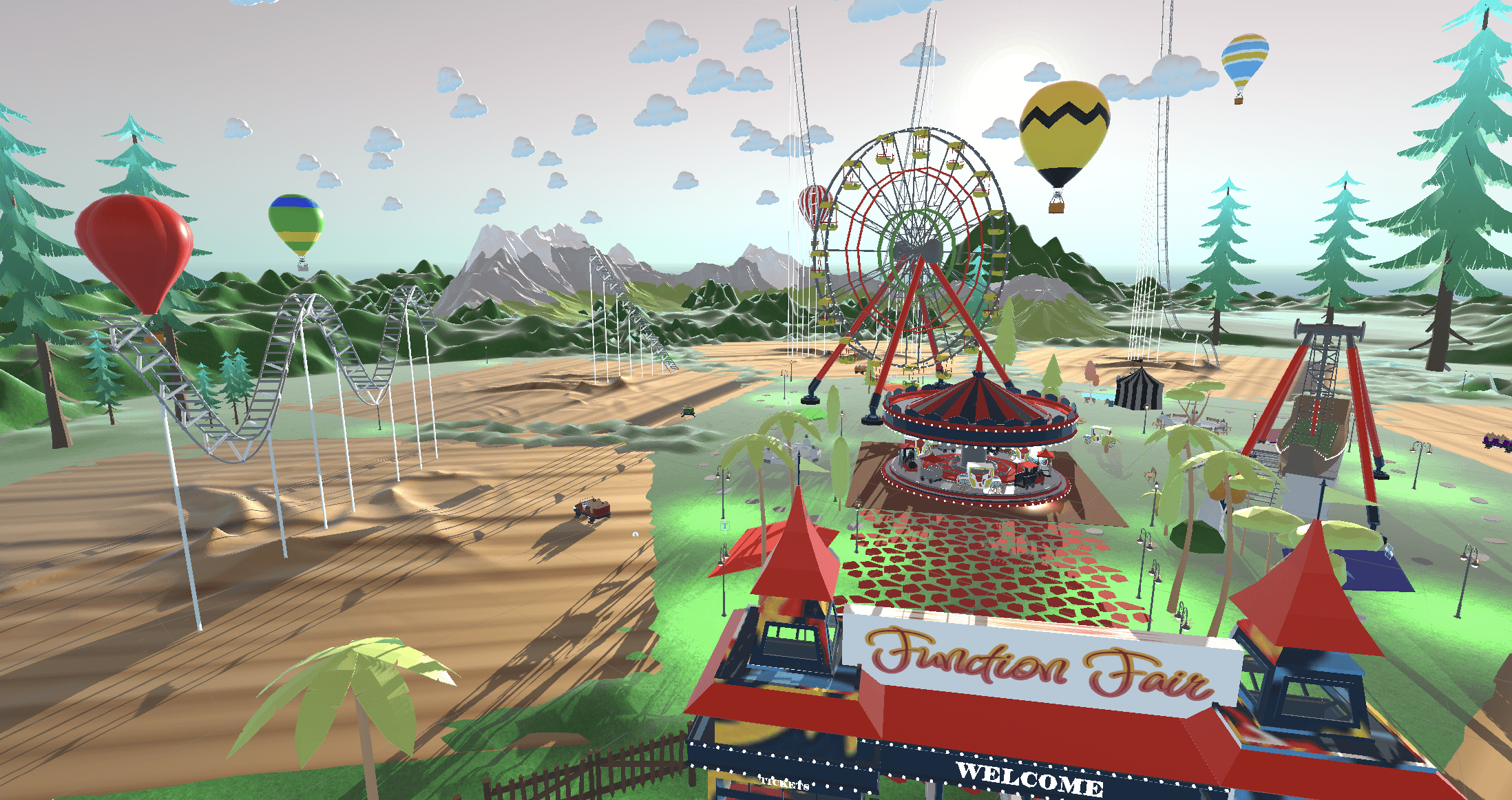
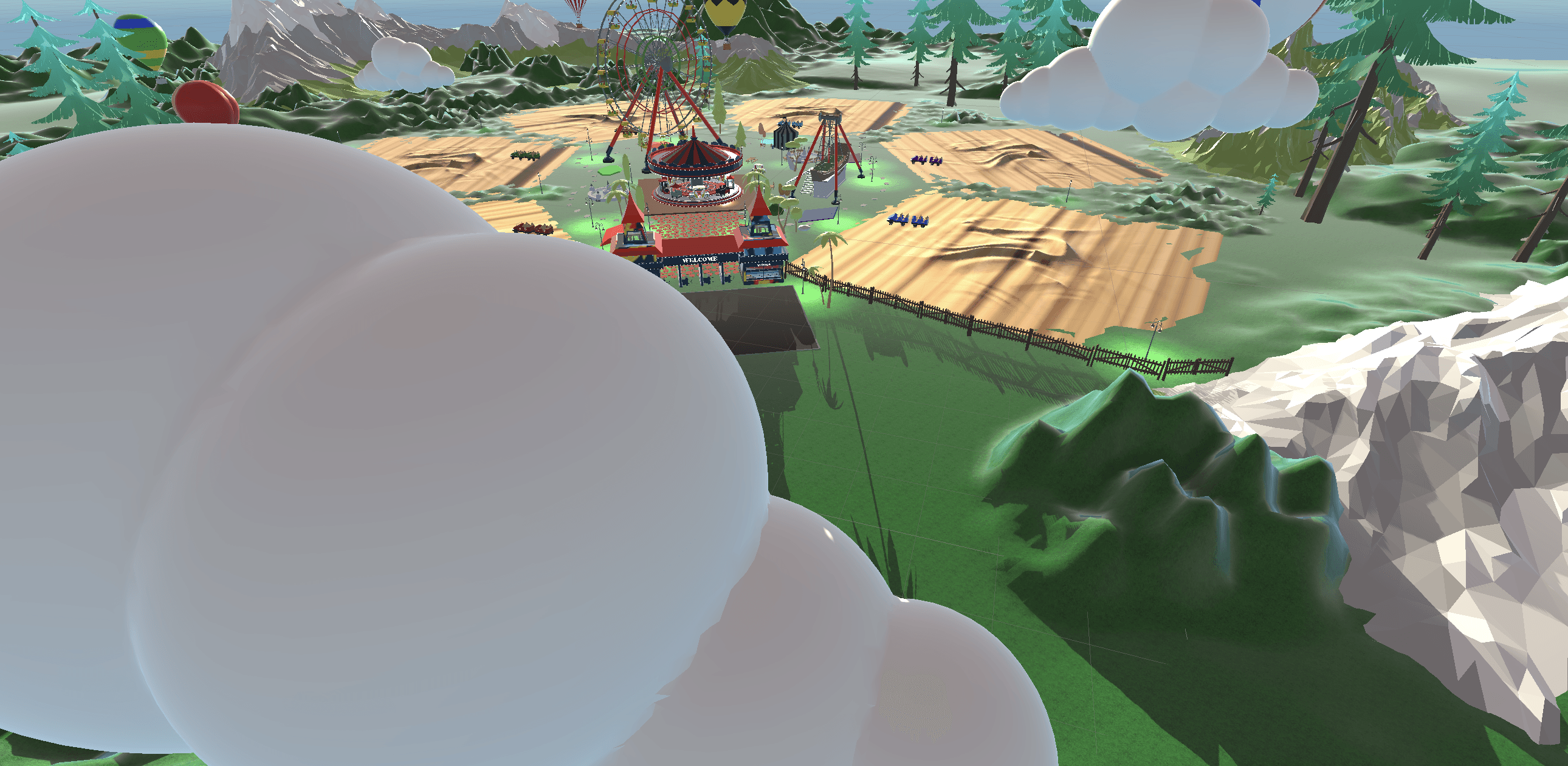
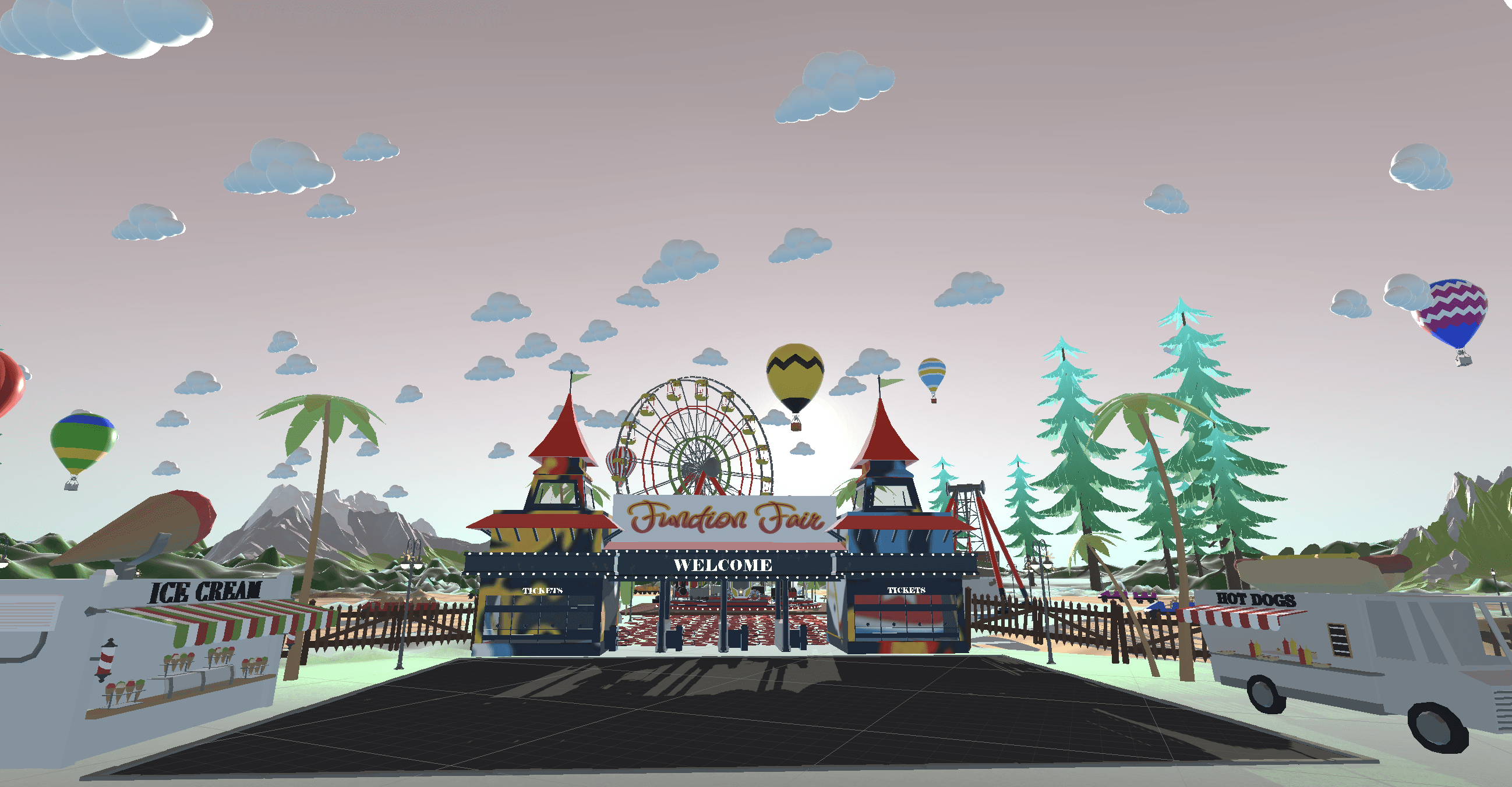
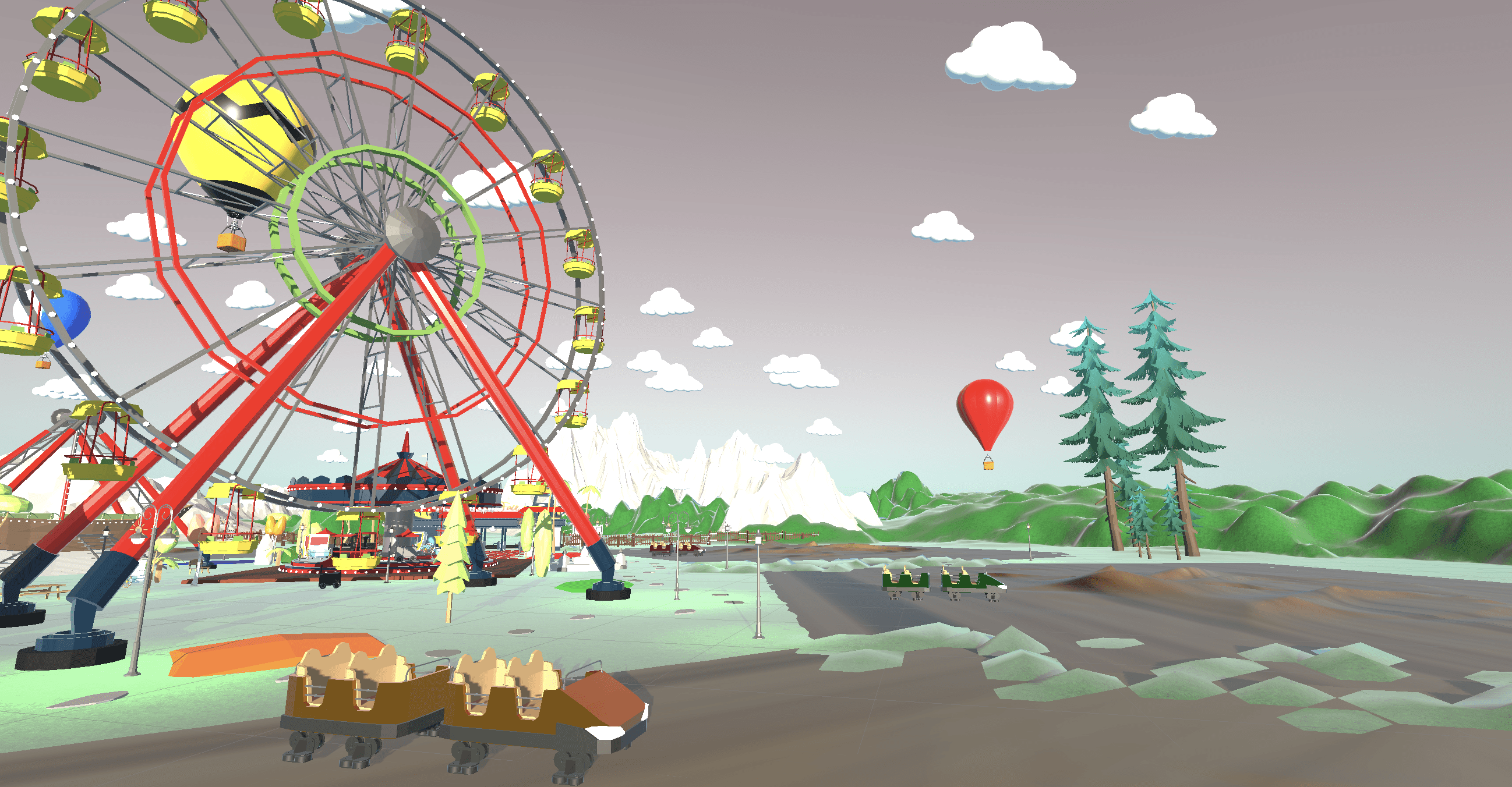
We designed a carnival-themed VR experience where users ride roller coasters generated from mathematical functions such as sine, quadratic, exponential, and linear equations.
By transforming equations into immersive spatial experiences, students can better connect algebraic expressions with their graphical forms.
🎯 Target audience
High school students studying mathematical functions
🎯 Goal
Support deeper understanding of functions through an engaging, fun, and sensory-rich learning experience.
Design Process
Research & Inspiration
We based our solution on a study on how 'spatial memory' could enhance learning mathematics for children (cite it). This initial research supported developing the project on a strong research background.
The project was informed by research on:
spatial cognition in mathematics learning
VR motion sickness
immersive interaction design
spatial audio and environmental cues
Ideation
We explored how VR and spatial learning could make mathematical functions more intuitive and memorable.
The team developed the concept of allowing users to ride roller coasters shaped by mathematical functions, such as linear, sine, quadratic, etc. That way, spatial cognition connects with function shapes and their algebraic expression.
User Journey Mapping
For functional design direction, with the understanding of our user’s persona (teenage, likes to learn math at his own pace, has a VR headset at home), we brainstormed as a team.
We mapped an end-to-end user journey to identify:
Onboarding challenges
Ride interactions
Navigation issues
Exit and recovery flows
This process helped refine:
Cart entry/exit interactions
Speed controls - For that, we added minimum and maximum speeds and introduced a button to boost the ride.
Emergency exit functionality - For that, we added a large exit button inside the cart.
Player movement behavior
Visual Direction
A mood board was created to guide the visual design direction:
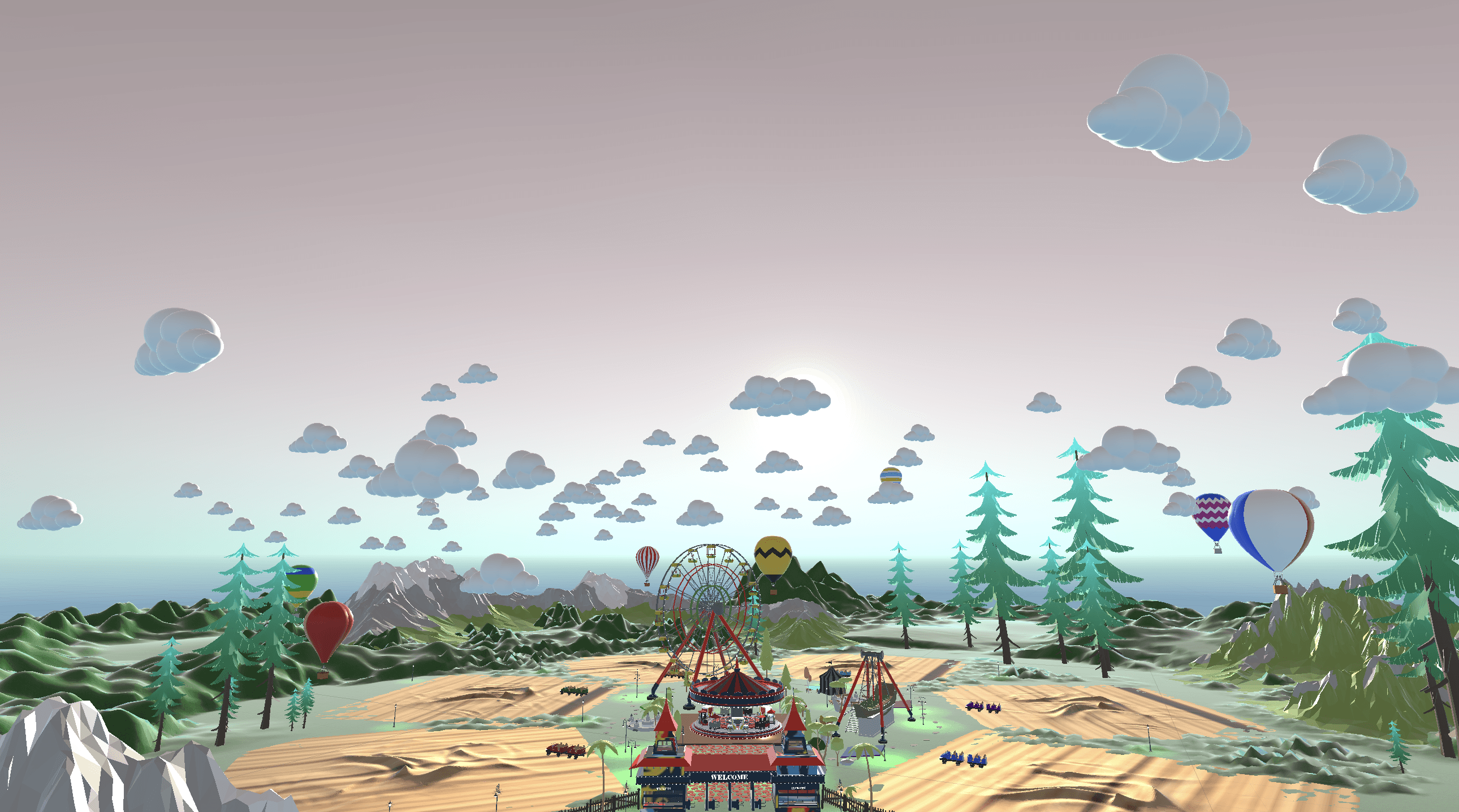
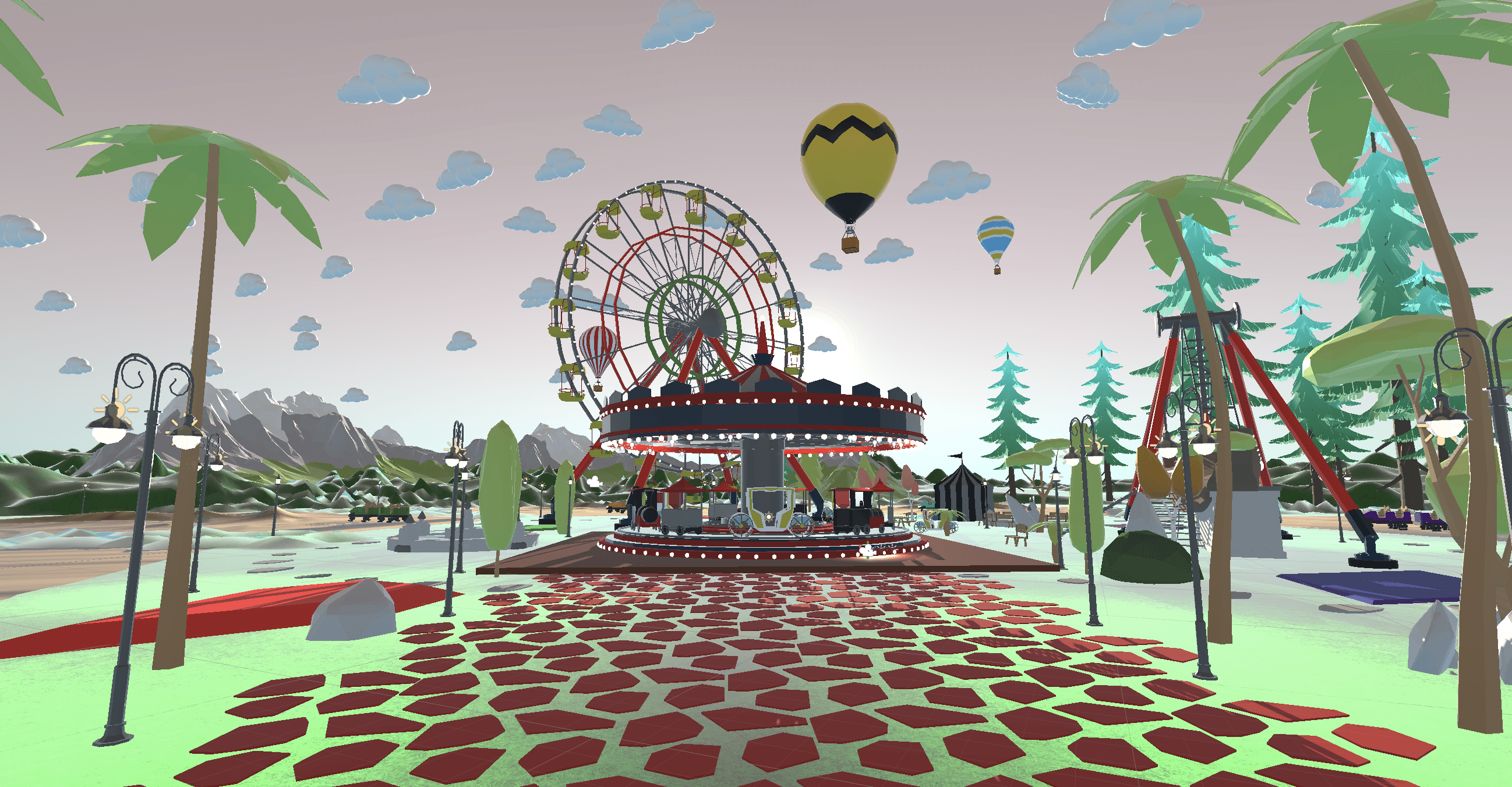
Carnival-inspired world building - color palette, and forest-themed environment
Stylized low-poly visuals
Time-of-day atmosphere - evening lighting
A cartoon-style aesthetic rather than realism - playful and approachable aesthetics for younger audiences, aligning with common VR game design.
Key UX Decisions
Motion Comfort
User comfort became a major design priority throughout the project.
To reduce VR discomfort:
Teleportation movement was selected over sliding locomotion - Sliding is known to cause nausea because your eyes see movement, but your inner ear does not detect it. But teleportation circumvents that because your eyes don’t see continuous movement in the first place.
Roller coaster speeds were limited with minimum and maximum thresholds
Track curves were widened for smoother movement
Users remained visually grounded inside the roller coaster cart instead of using aggressive vignette effects
The experience also supports seated gameplay for increased comfort.
Accessibility & Inclusive Design
The experience was designed to support different comfort and accessibility needs.
Features included:
One-handed simple controls considered physical accessibility- players that can only manipulate one controller are accounted for, and we made the actions on the left and right controllers identical.
Seated and standing gameplay
Optional spectator-style participation for users uncomfortable with heights or intense movement
Future accessibility considerations included:
Colorblind-friendly palettes
Dyslexia-friendly typography
Reduced lighting settings
Audio prompts and adjustable audio controls
Immersion & Environmental Storytelling
The carnival environment was designed as part of the learning experience rather than only a visual backdrop.
Environmental elements included,
spatial carnival audio for Carnival ambience - enjoyable carnival music emitted by animated merry-go-round, ambient waterfall sounds at fountains
Reactive roller coaster audio - wind sound when user rides roller coasters, roller coaster tracks emit sound according to the speed of the roller coaster
Evening lighting atmosphere
Large-scale landmarks for orientation
Hot air balloons and walking paths were also used as visual navigation cues throughout the environment. The carnival ground is a large area for the player to idle in. They could easily get lost on the ground when navigating. Seven hot air balloons mark each roller coaster ride zone and the center of the carnival. Users can simply look up and follow the balloons to find their way.
Low-poly assets and baked lighting were intentionally used to improve performance, reduce visual noise, and maintain stable frame rates on Meta Quest devices. Low-poly assets also keep the user's attention on important interactions rather than unnecessary details.
Real time lighting was used for animated objects, like the merry-go-round.
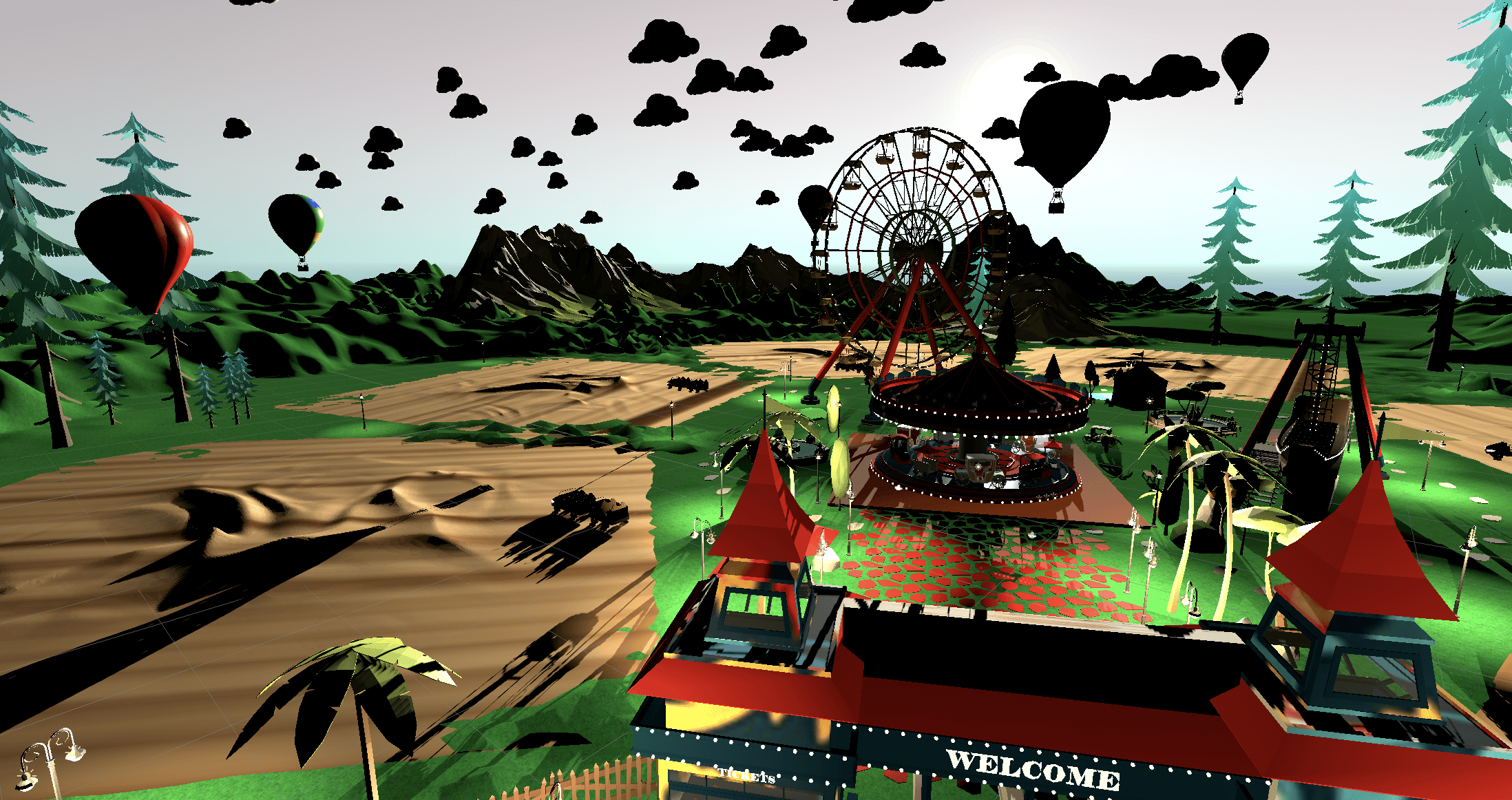
To enhance the evening lighting atmosphere, ambient lighting was added to light up the shadows that appeared due to the evening position of the sun.
Learning Experience Design
The learning experience focused on connecting algebraic equations with spatial memory.
To support clarity and ride quality:
Only continuous mathematical functions were selected
Ride platforms were positioned for clear visibility of track shapes
Users could explore multiple function types, including sine, cosine, quadratic, cubic, exponential, and linear functions
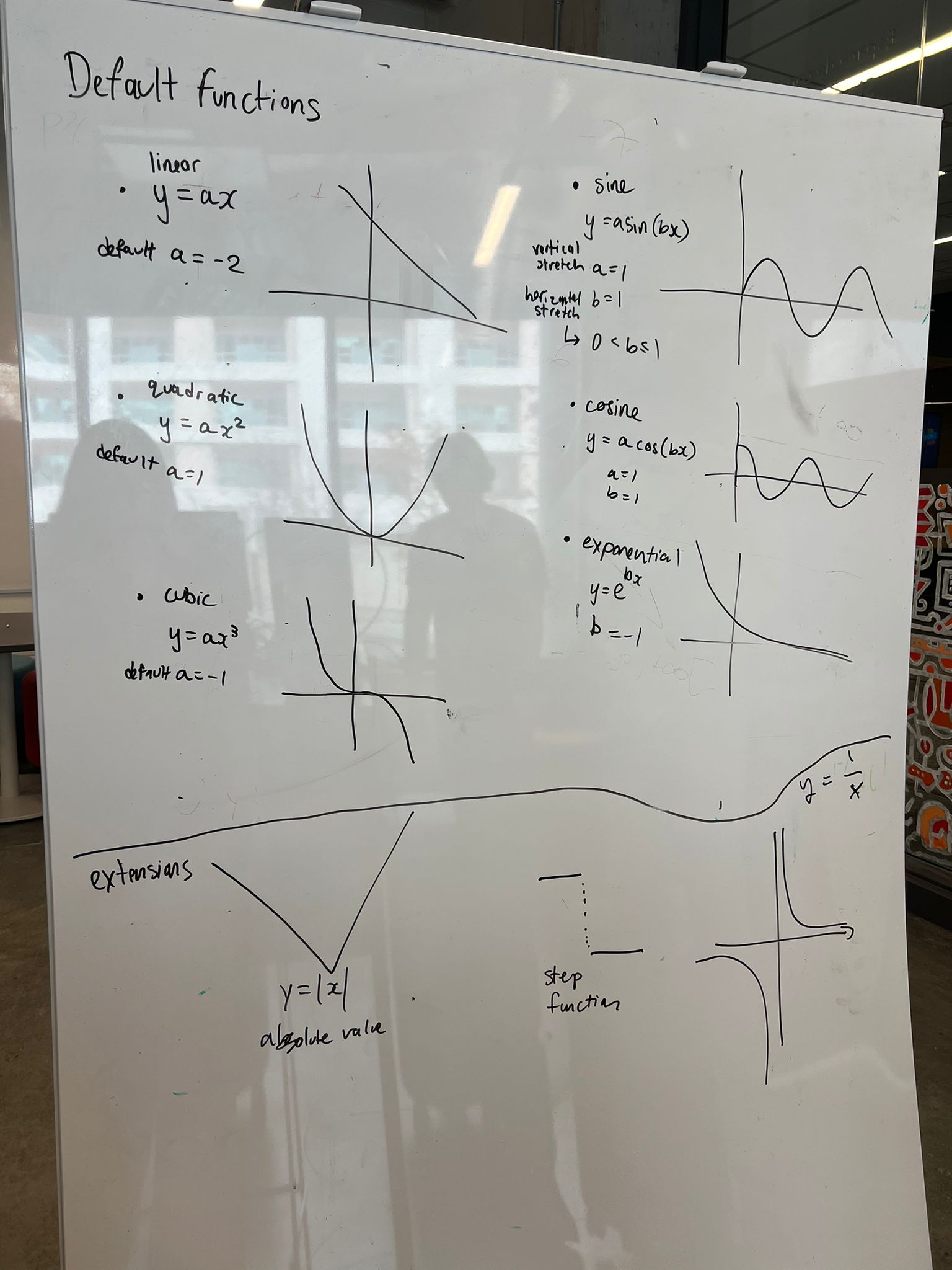
One of the important design decisions was to identify which function types we should and should not use for the game. This was a challenge because we had to select practical and enjoyable functions for this experience to be a success.
So, we selected 6 different functions that are continuous so users can ride those. They are linear, quadratic, cubic, sine, cosine, and exponential. Anything other than these, we will consider for future improvements with advanced transitions.
The team also explored future concepts such as,
custom function generation considering learning effectiveness, exploration, and repetitive engagement
real-time graph visualization to understand how graphs change relative to the domain
adaptive difficulty levels
We explored the idea of placing interactive UI controls near each roller coaster, allowing returning users to modify function variables and create custom coaster variations.
We also considered naming each roller coaster after its corresponding mathematical function to increase educational value by helping users associate mathematical concepts with physical locations and reinforce learning through spatial memory.
Testing & Iteration
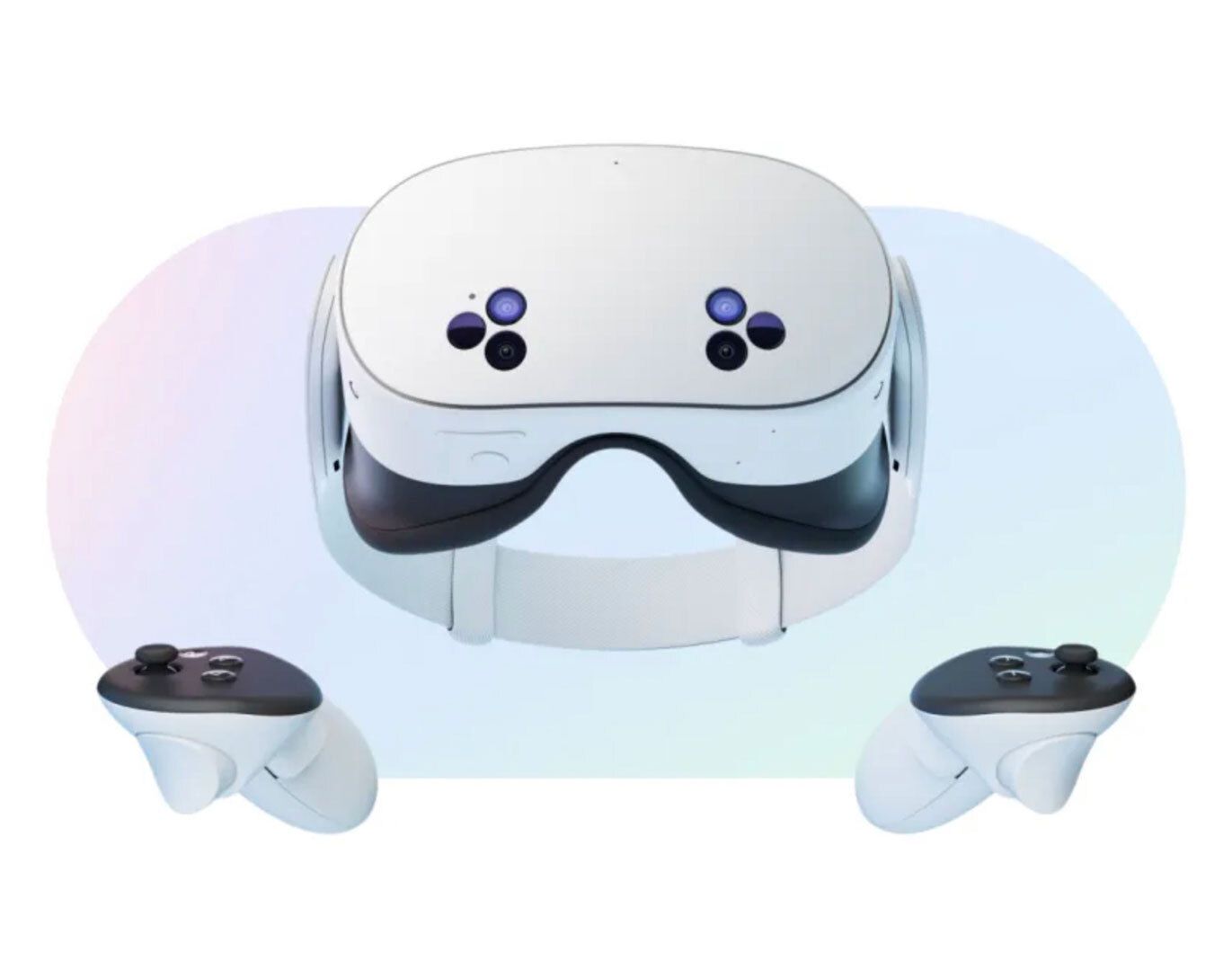
The project underwent continuous testing on Meta Quest 2 and Meta Quest 3S devices.
Testing sessions with friends, family, and team members helped identify issues related to:
Motion sickness
Unsafe teleportation zones; inside carnival tents
Cart movement behavior
Camera positioning when riding a roller coaster
User confusion during ride transitions
Key improvements included:
Implementing teleportation-safe areas by adding box colliders
Refining camera follow systems to a seated position when riding a roller coaster
Smoothing roller coaster acceleration by implementing upper and lower bounds for speed and widening the tracks.
Adding clear ride exit interactions
Future Improvements
Future iterations could include:
Customizable roller coaster generation
Variable-based equation editing
Haptic feedback integration
Dynamic weather and lighting systems
Non-continuous and 3D mathematical functions
Adaptive comfort settings - light, sound, music, movement
Voice controls for accessibility
Reflection
This project expanded my understanding of UX beyond traditional screen-based interfaces into immersive spatial experiences.
I gained experience in:
VR interaction design
spatial UX thinking - comfort, spatial awareness, immersion, scale & proportion, intuitive interactions, visual language
Unity development
immersive storytelling
motion comfort design
collaborative prototyping and testing