A SAAS Product Developer (Client Company)
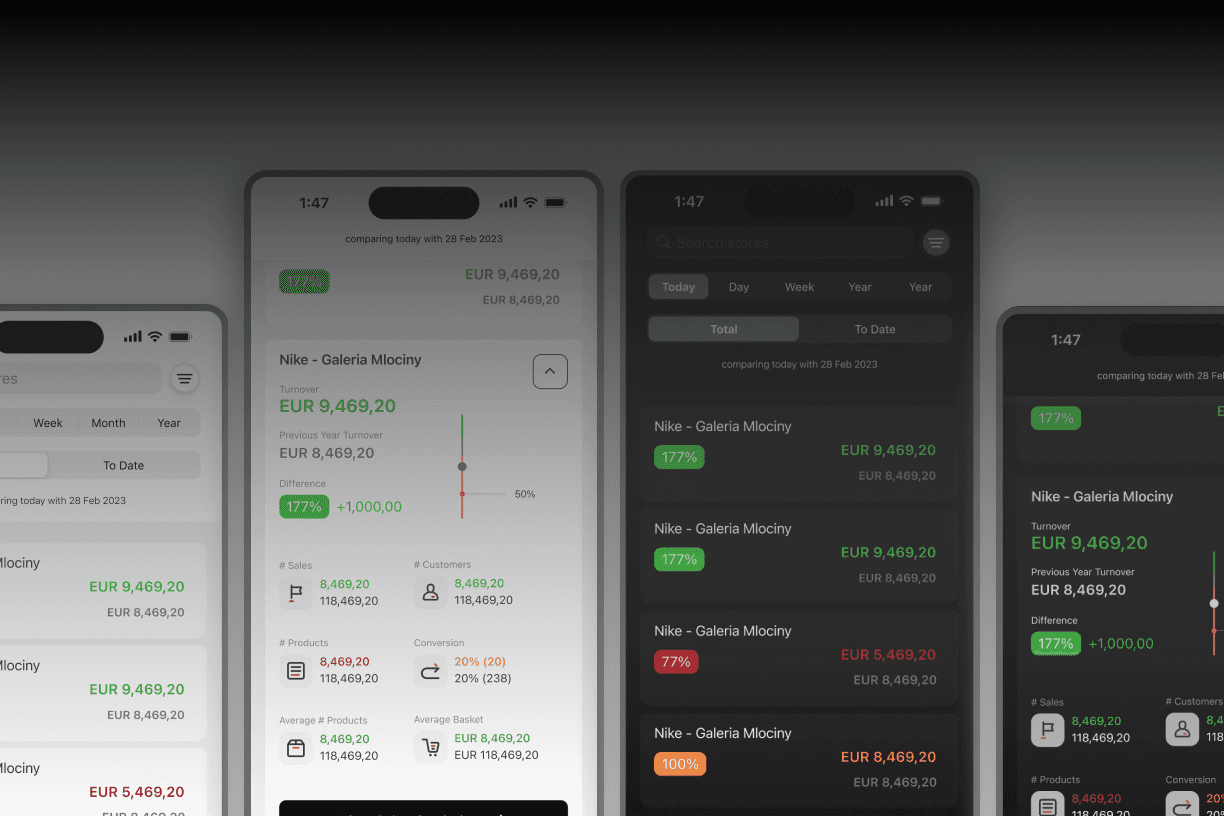
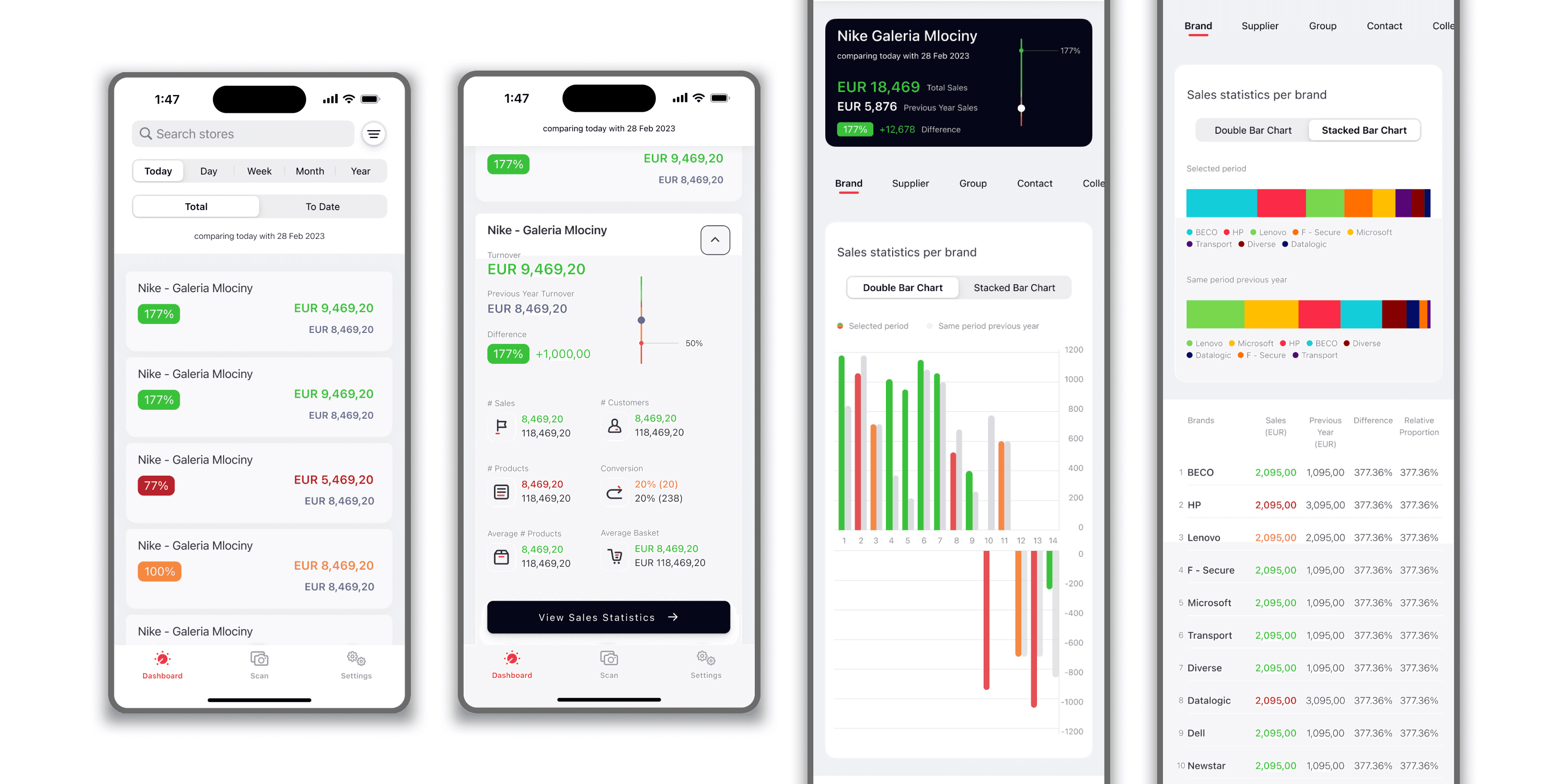
iOS Mobile App for Viewing Multi-Store Sales Statistics
Overview
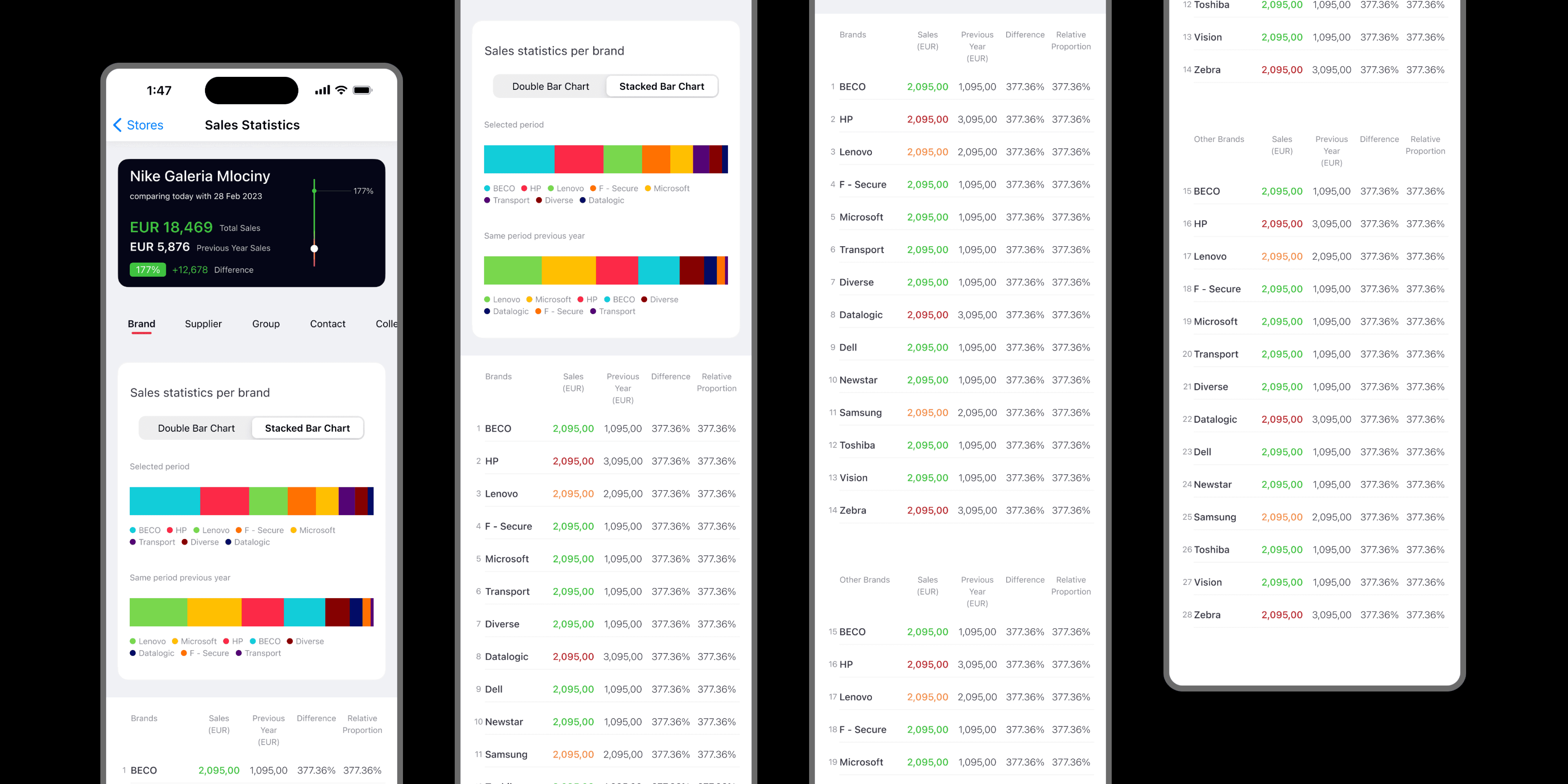
Enhancing the user experience and interface to support better data visualization and decision-making for store managers.

Context
This client company is a SaaS product developer that enables powerful total solutions for retail and wholesale. It develops applications with complex inventory management and supply chains through CRM, POS, ERP, and E-commerce solutions.
This project was focused on improving one of their iOS mobile applications used by store managers to view sales statistics at a glance.
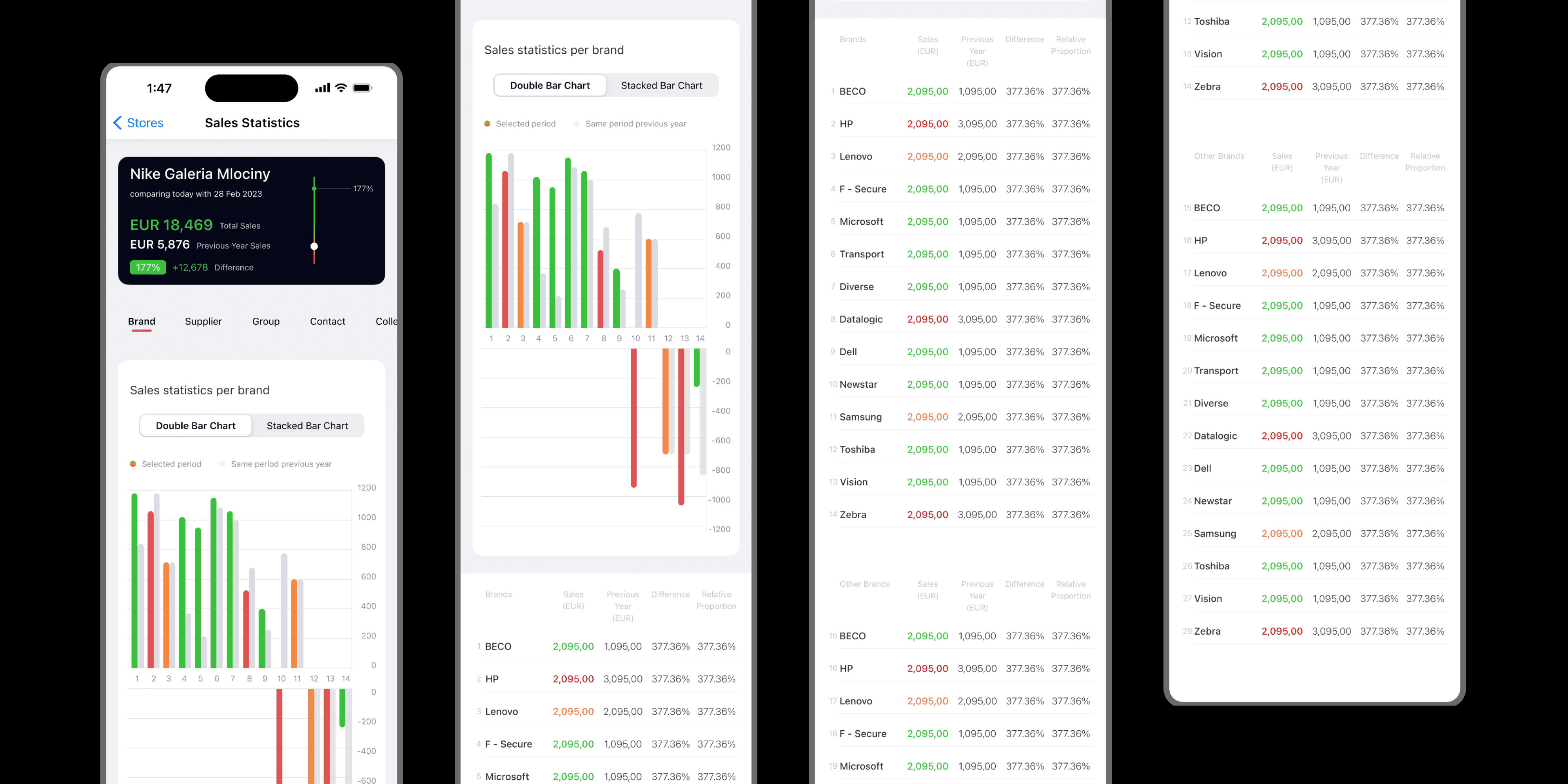
It involves complex data visualizations that lead to important sales management decisions.
Problem
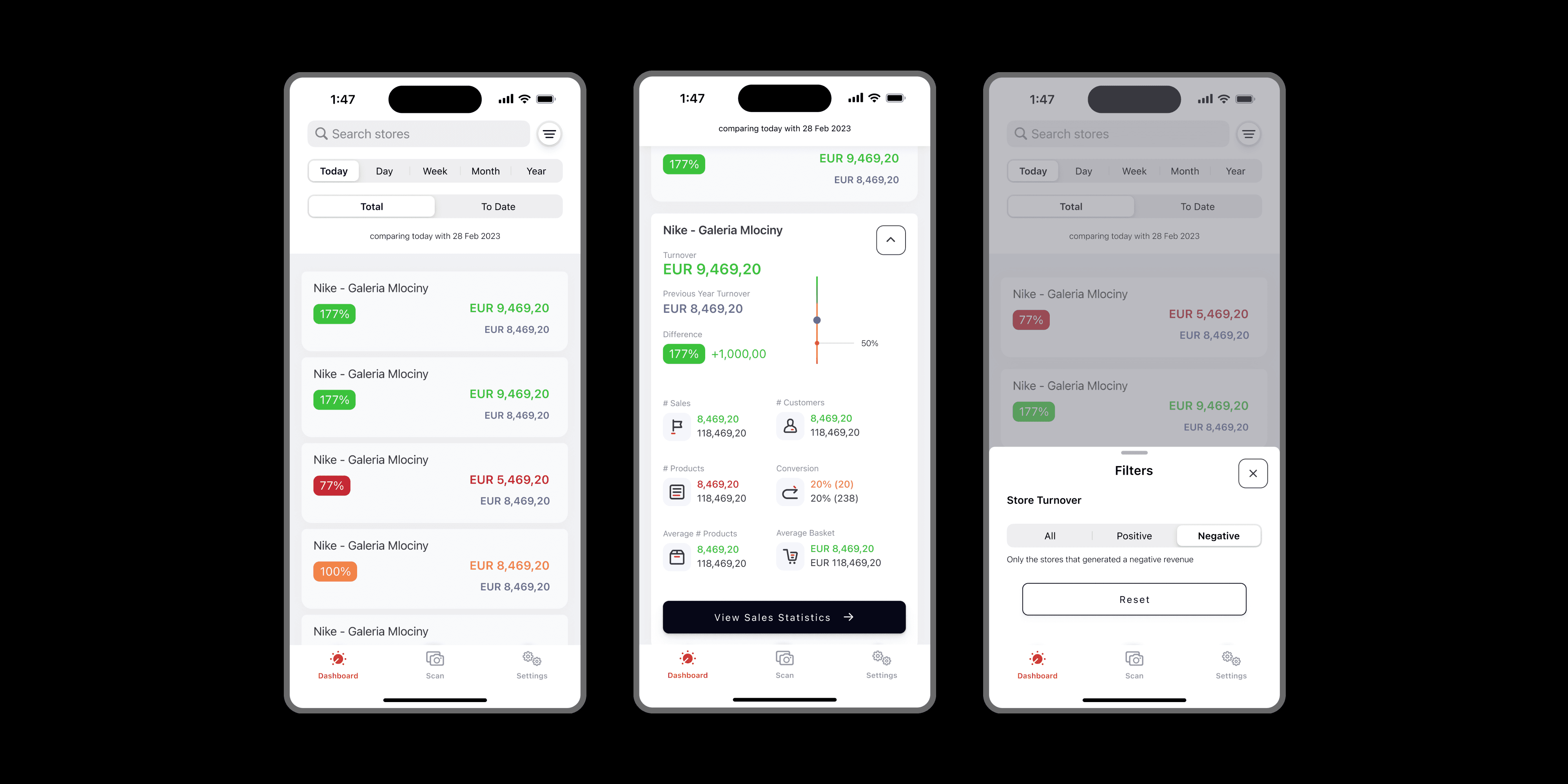
🚨 Store managers spend a hard time in comparing store statistics and ultimately make poor decisions due to poor data representation in the application.
🚨 The current user interface limits the addition of extra sales metrics.
🚨 Absence of aesthetic appeal and overall cohesiveness of the application.
Key Observations of As-Is Mobile App
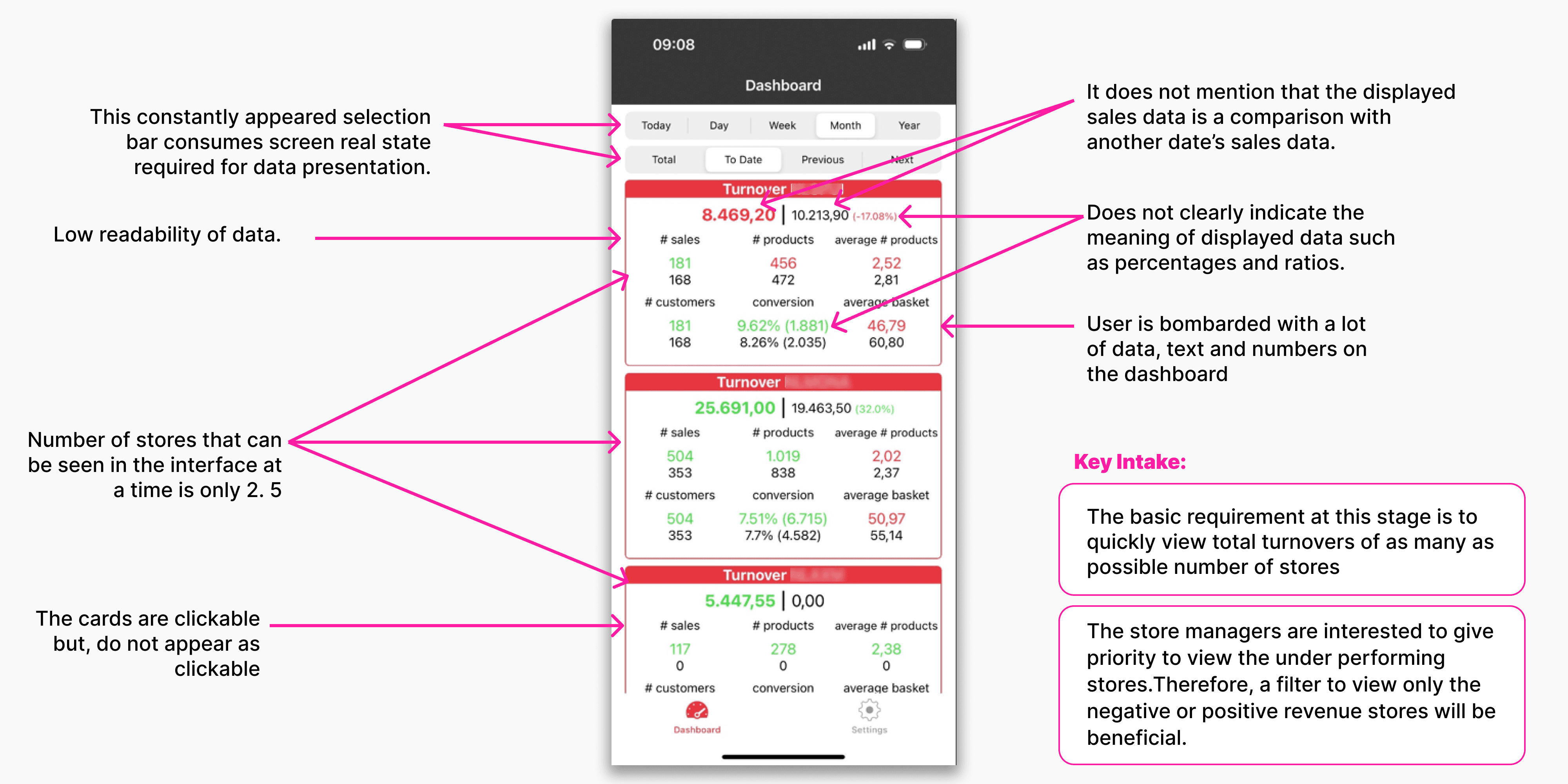
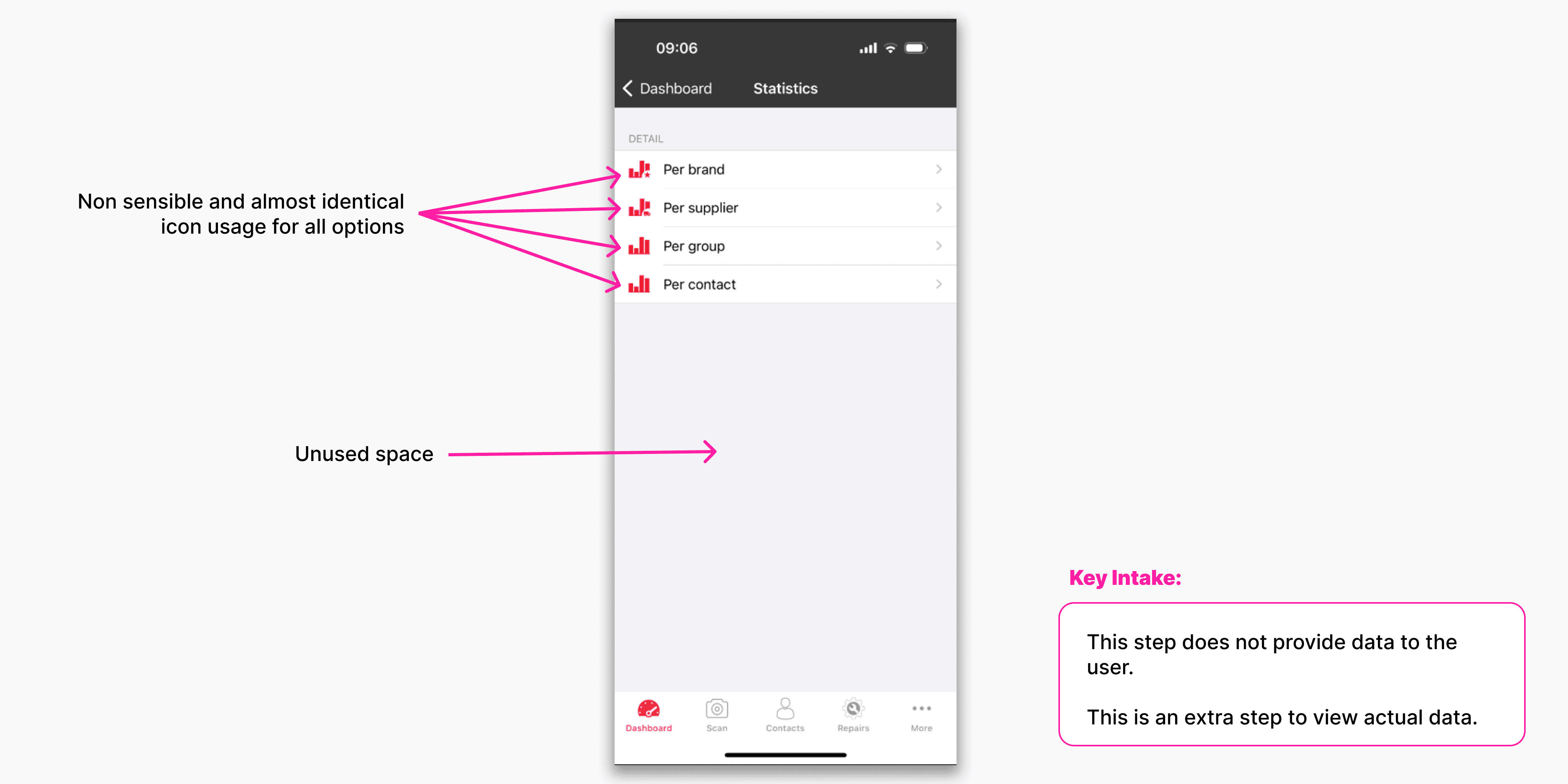
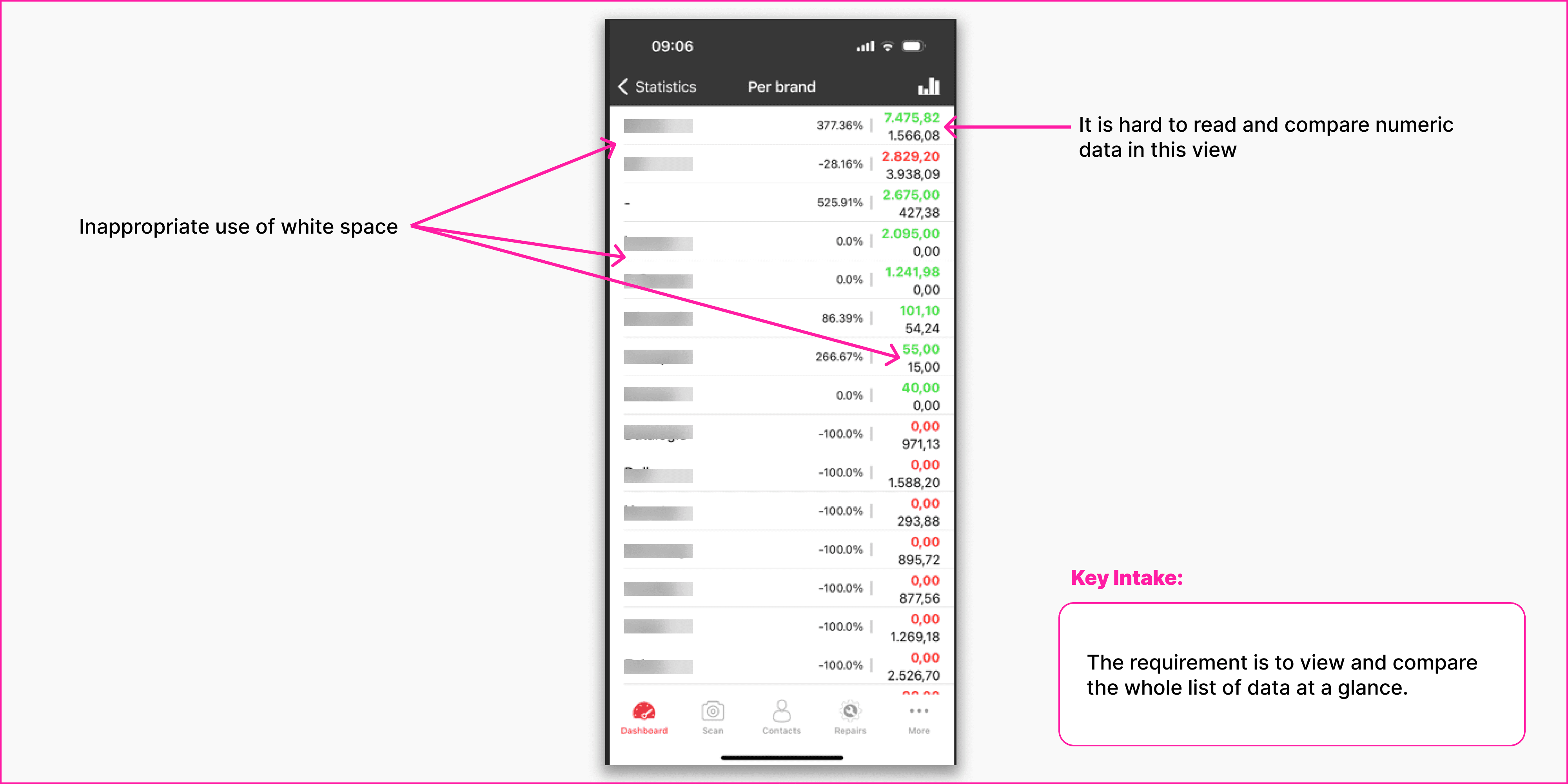
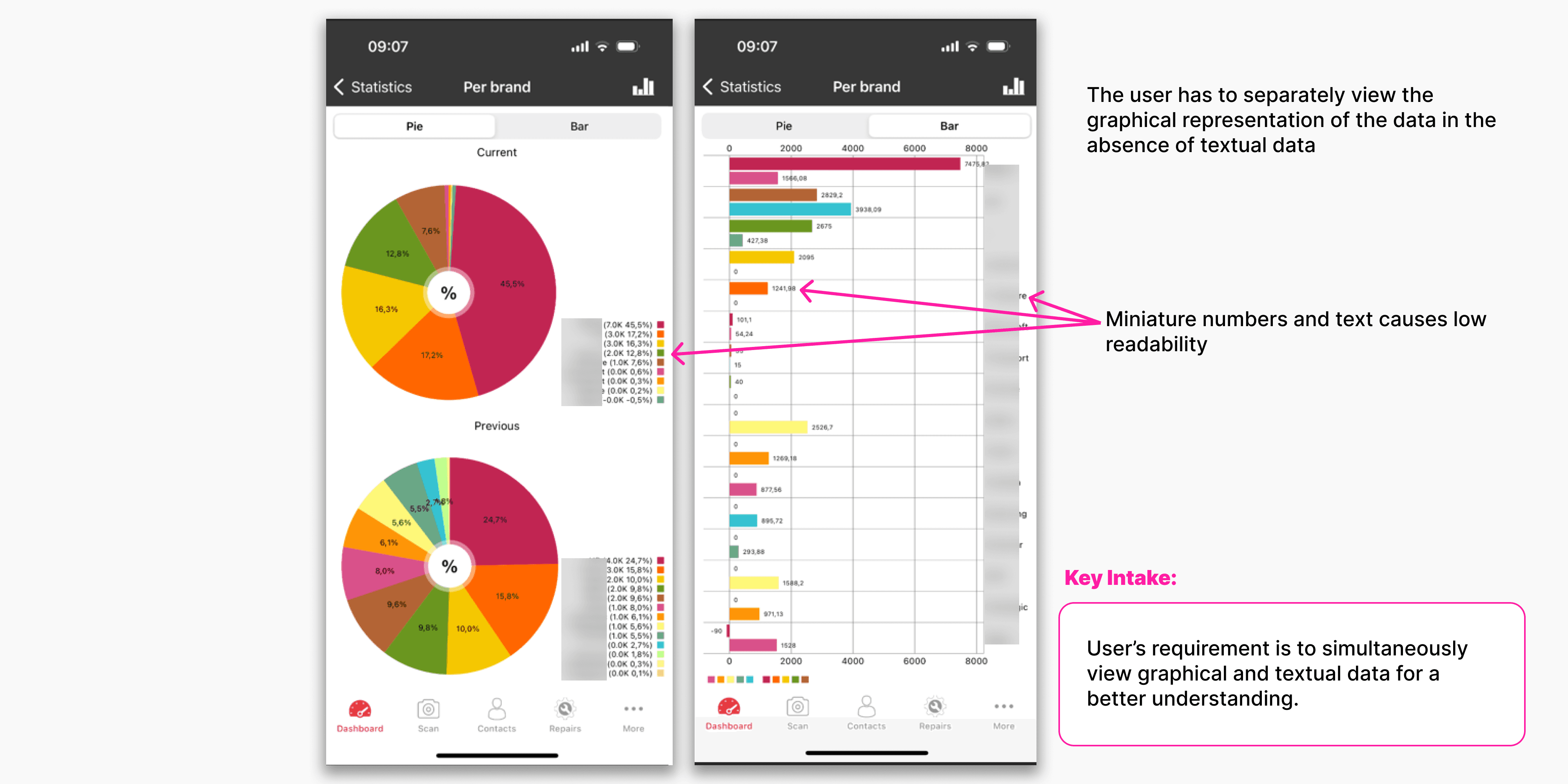
The existing mobile app was observed to assess its usability: effectiveness, efficiency, and satisfaction.
I mainly observed issues with readability, data representation, and easy accessibility of data.
User
Understanding the real user was a challenge as I did not get to meet the real users. Therefore, used several tools as an effort to better understand the user and received confirmation fro the client.
First, I used the below simple questions during a meeting with the client to understand the user and their motives.
WHO❓ Store managers are the primary users of this application.
WHY❓ To view up-to-date sales statistics of each of their stores, around the world, at a glance.
WHEN❓ Anywhere, anytime. Even when they are eating or on the go.
WHAT ACTION THEY TAKE❓ Store managers will make sales management decisions with the help of this data.
Second, I tried empathizing with a store manager's daily work duties/problems.
✅ Unexpected staff shortages and last-minute scheduling changes.
✅ Managing team member conflicts.
✅ Addressing customer complaints.
✅ Ensuring a positive shopping experience for the customer.
✅ Balancing stock levels to avoid overstock or stockouts.
✅ Managing stocks with expiration dates.
✅ Strategies to meet sales targets during slow periods.
✅ Identify sales trends and opportunities.
User Stories
Finally, I wrote user stories to understand the real users' requirements.
Sales management was focused on when writing this user story for the store manager. Different information requirements of a store manager were listed as a result of this effort.
🧑💼
As a store manager, I want to access real-time sales data and analytics to track daily, weekly, and monthly sales performance, allowing me to make informed decisions about inventory management and sales/marketing strategies/targets during slow periods and identify trends/opportunities in the market.
➡️ Daily, weekly, monthly, and yearly total sales figures and product category-wise sales figures.
➡️ Analyzing trends
➡️ Best-selling products
➡️ Peak sales times
➡️ Sales growth
➡️ Average transaction value
➡️ Sales by time of day/week/month/year—seasonal demands
➡️ Basket analysis (products often purchased together)
➡️ Sales return rate (products returned % - indicates quality issues)
➡️ Cross-Selling and Up-Selling Opportunities
Competitor Analysis
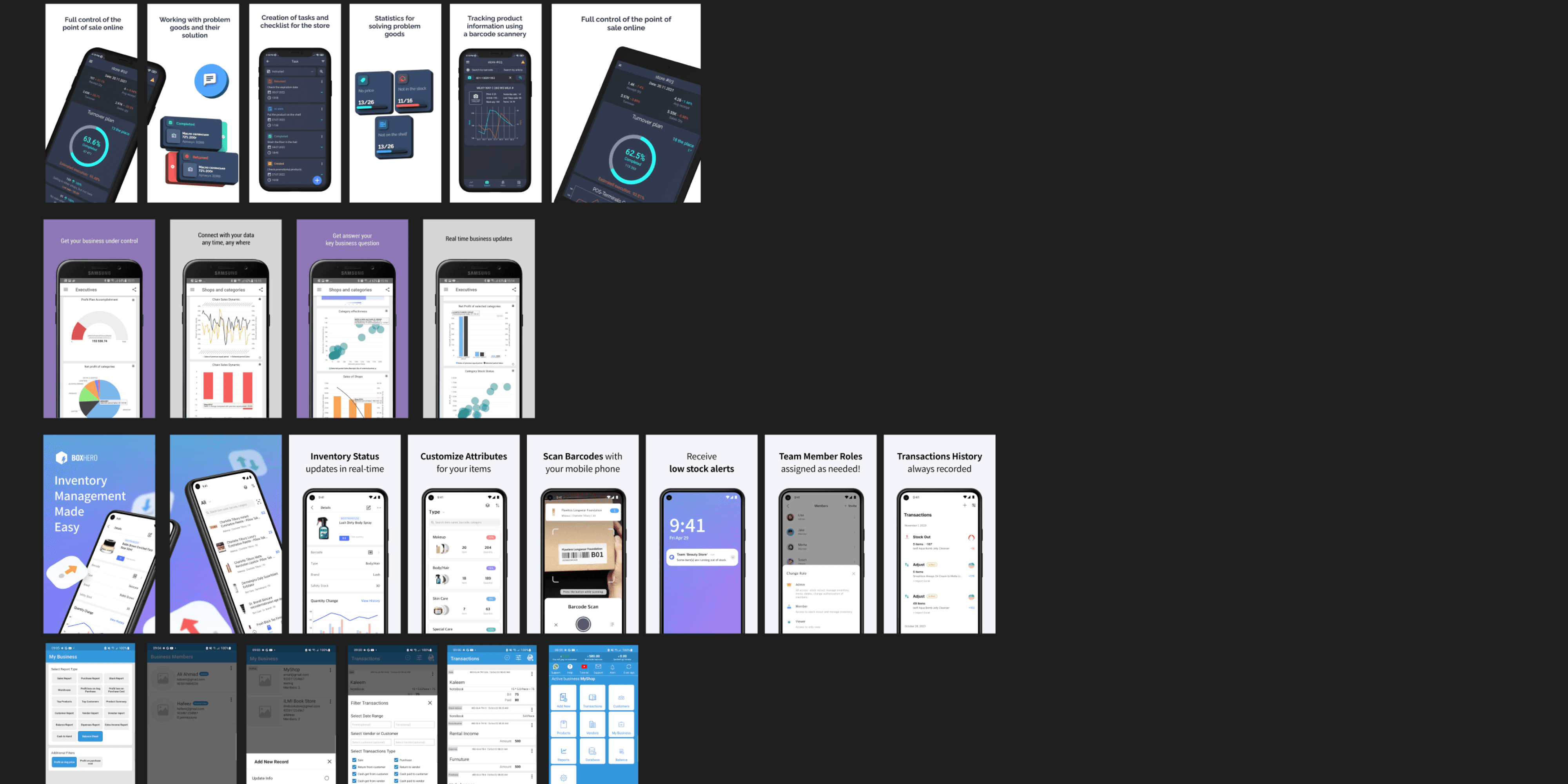
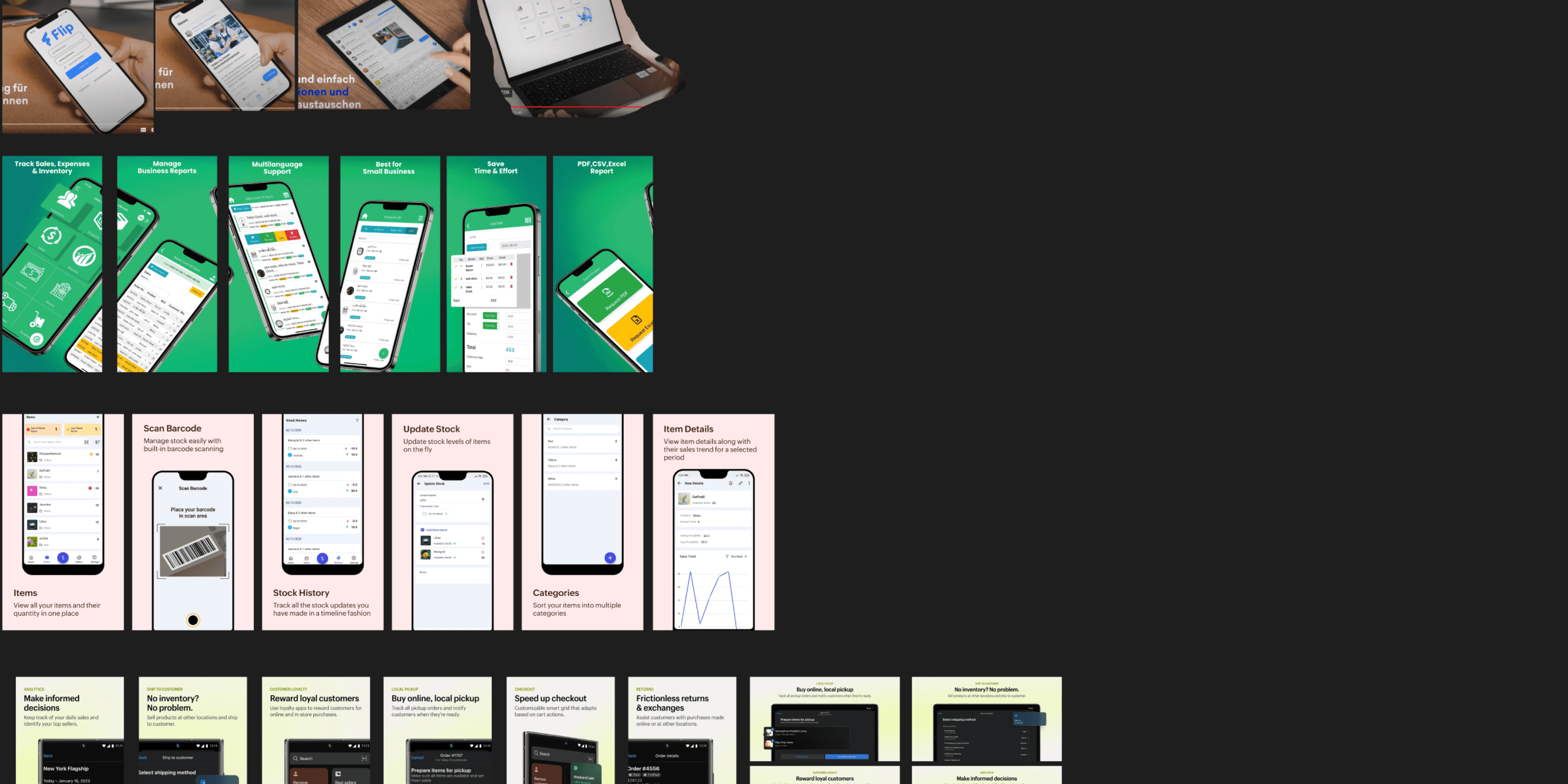
14 business management applications were considered for the competitor analysis to understand their key features and user flows.
Data visualizations were a significant feature in most of the applications.
Inspiration
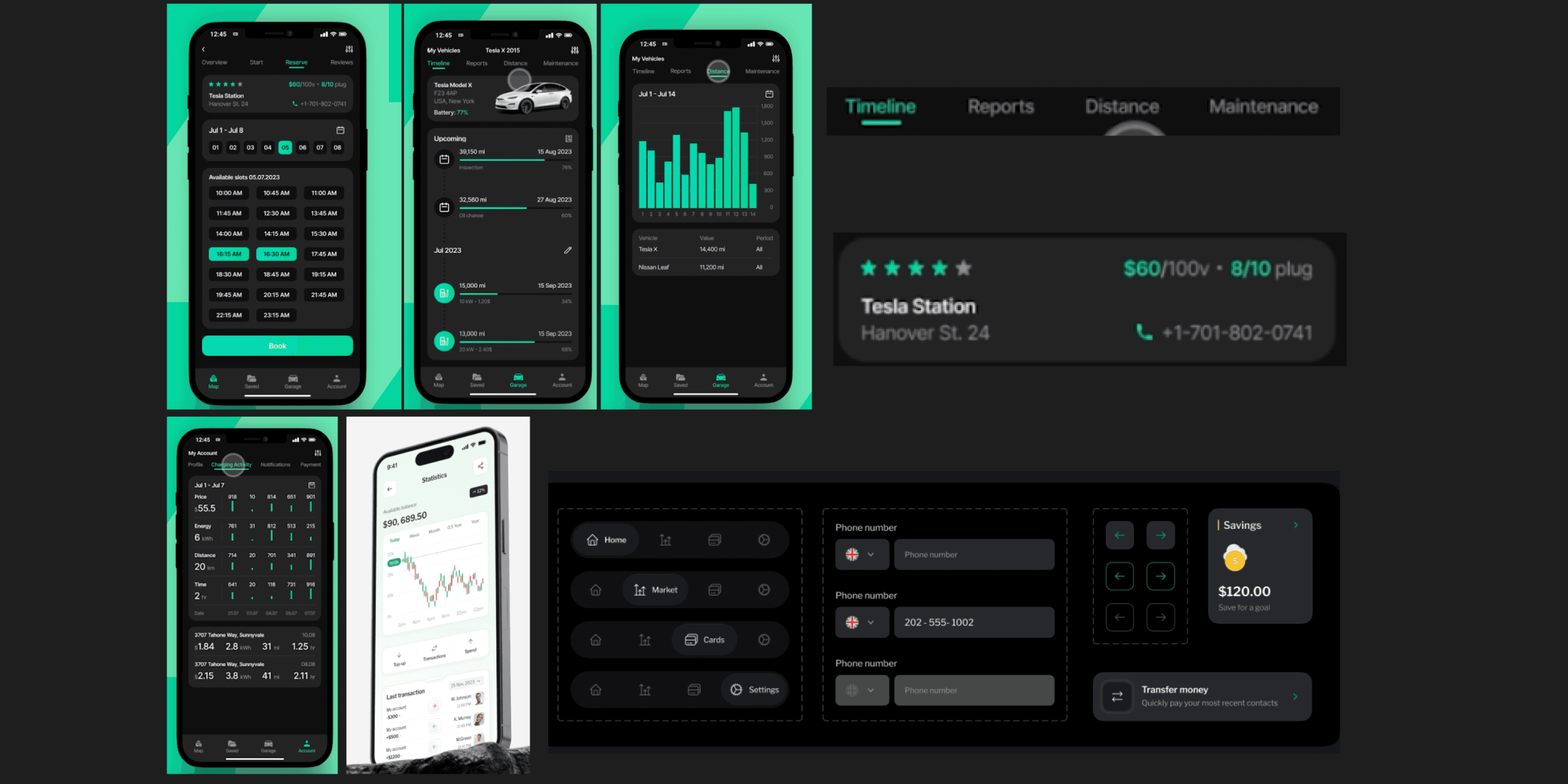
A mood board was used for design inspiration.
Since this project involved complex data representations, I gathered my design ideas from iOS applications that are data-heavy and abundant in data visualization.
User Flow
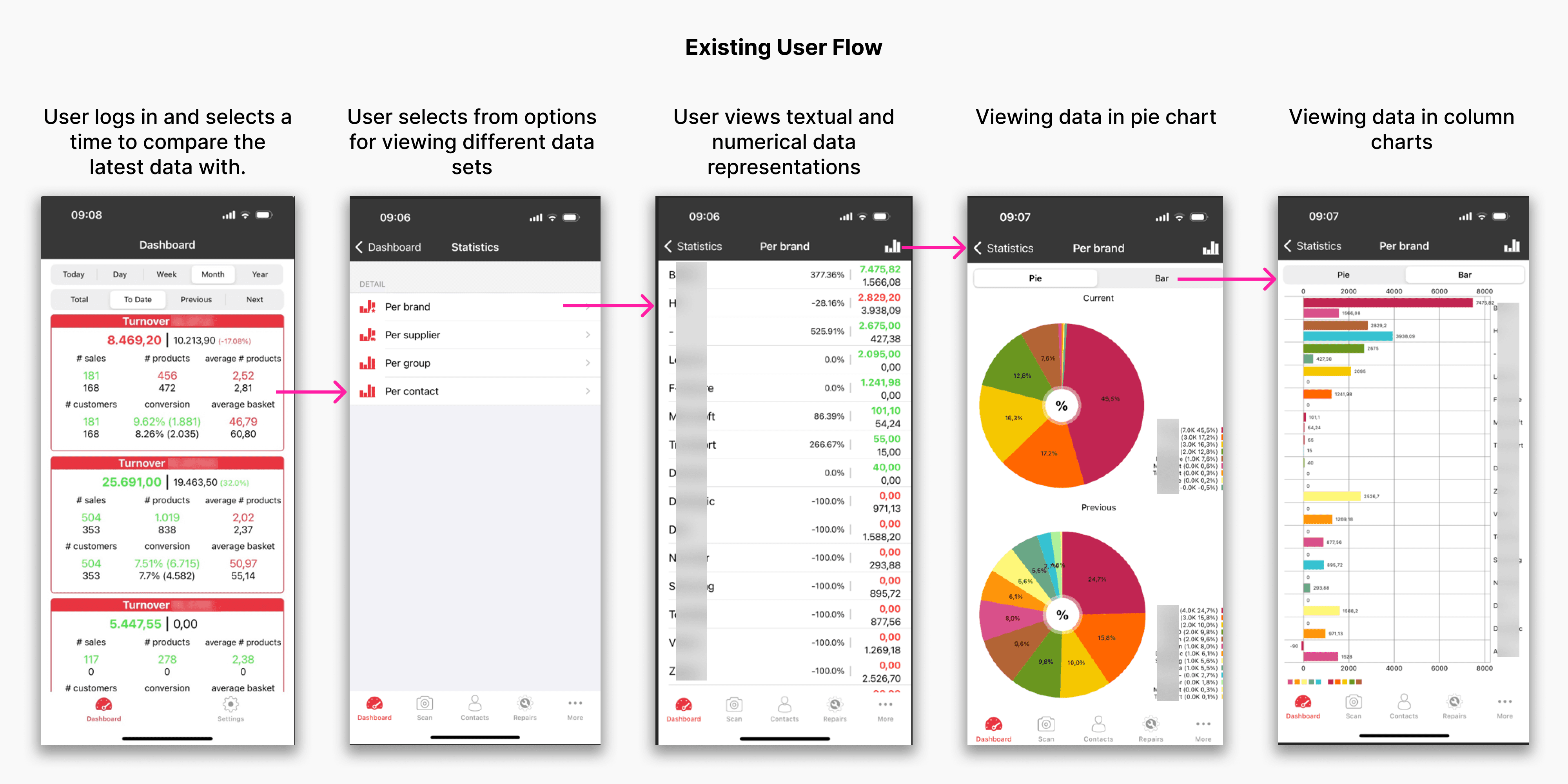
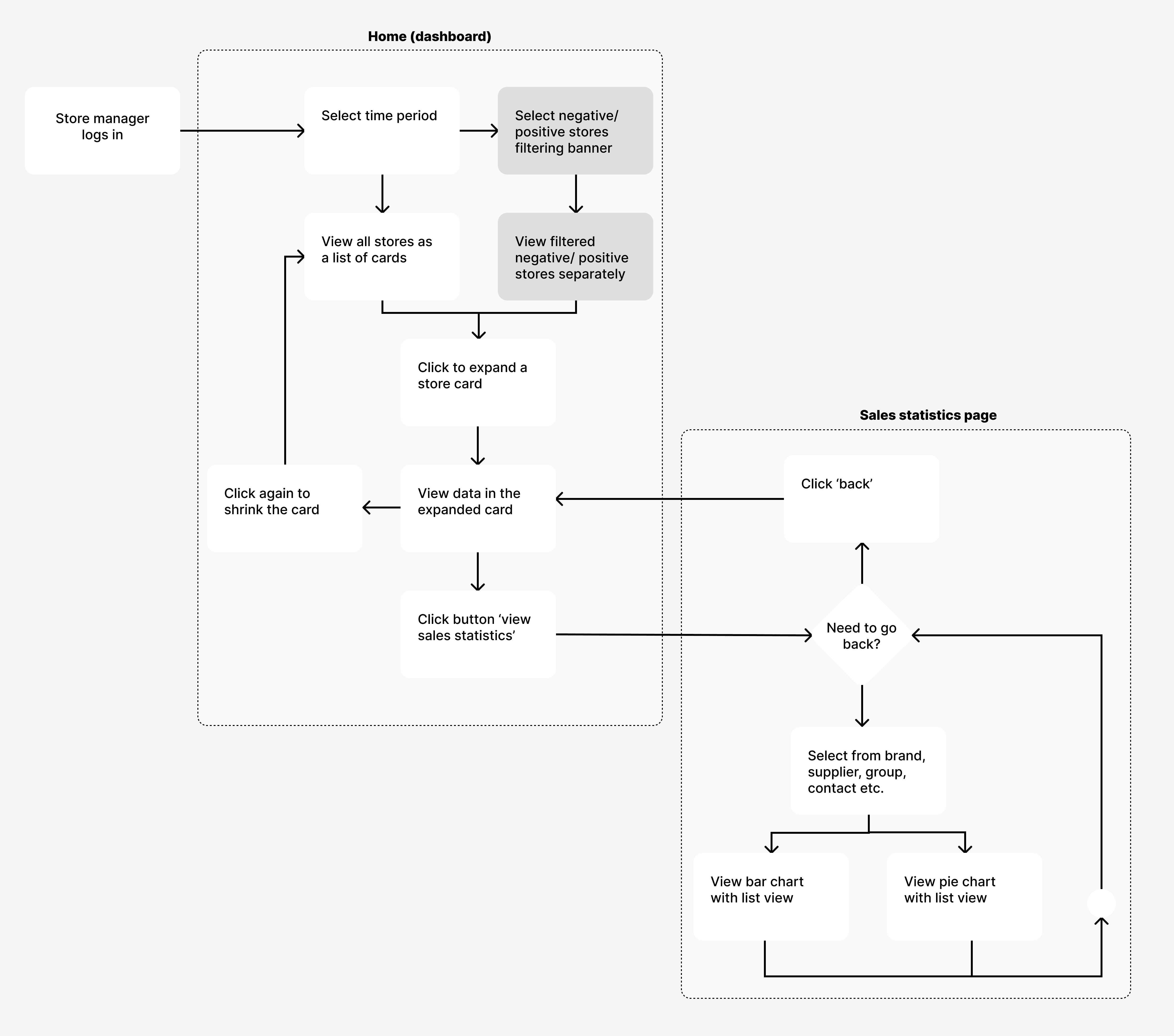
I used the knowledge gathered from all the above efforts; existing app, user, user stories, competitor analysis, and inspiration, to finalize the user flow.
This user flow was presented to the client to receive their feedback before moving forward.
Ideation
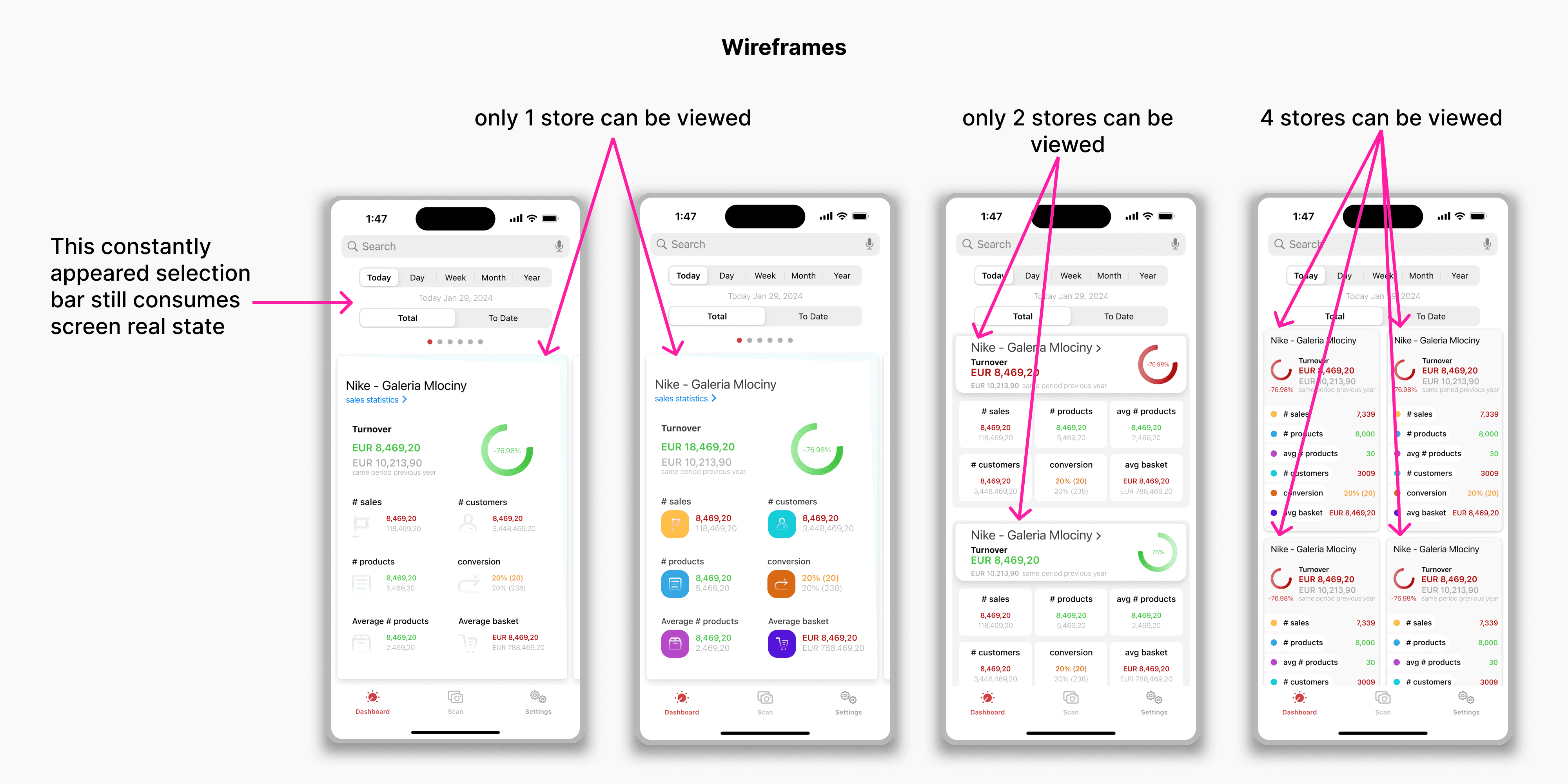
During the brainstorming process, different wireframes were created to gather as many varied UI solutions to the problem as possible. The wireframes were used to drive further discussions, and through client feedback, I was able to understand specific client requirements.
Prototyping and Feedback
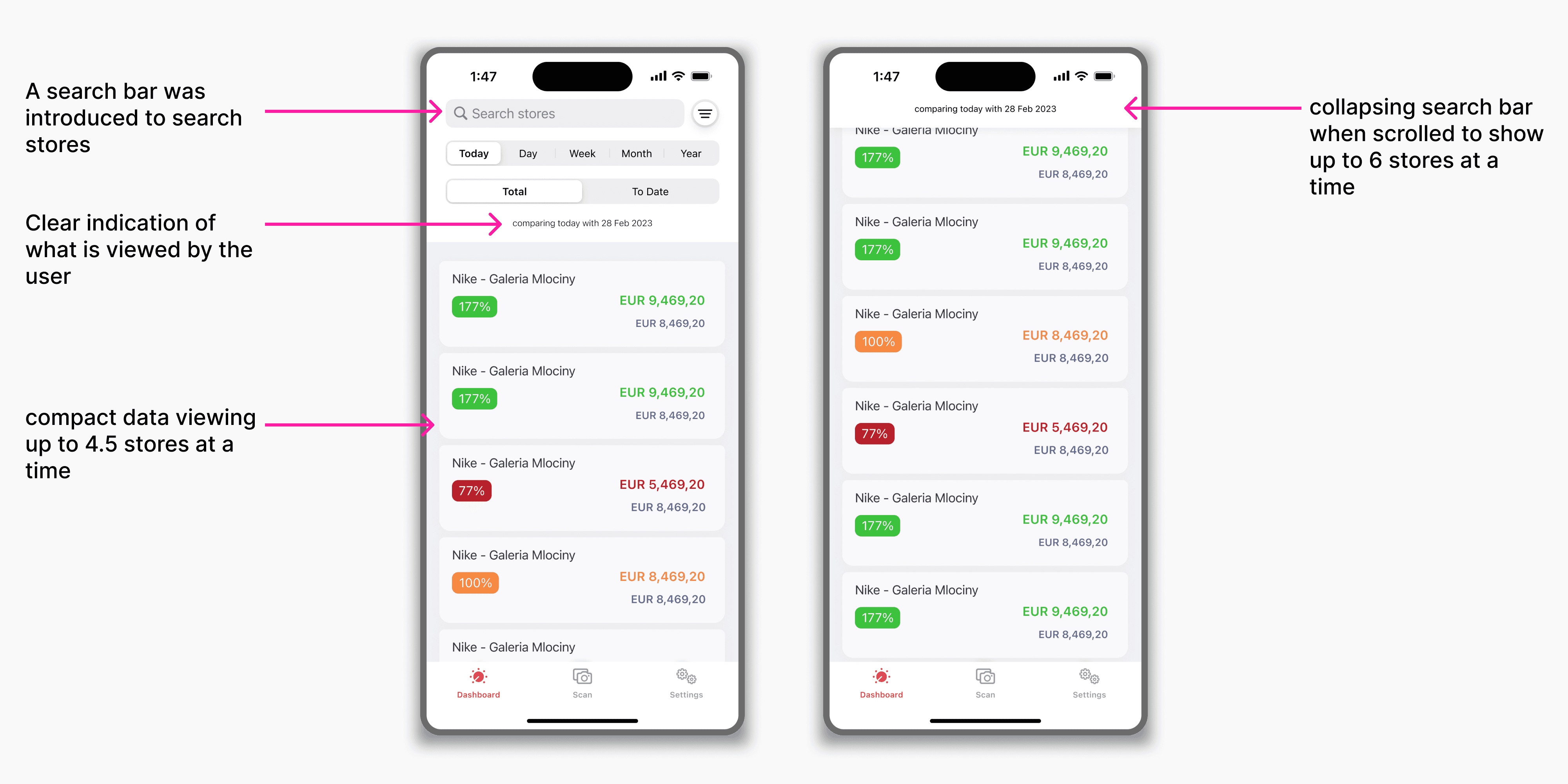
The prototypes were used to lead discussions with the client for further understanding requirements and limitations.
✅ Discussions with the developer revealed development limitations.
✅ Refined the understanding of user needs.
✅ Client expectations for the look and feel were identified.
User Interface
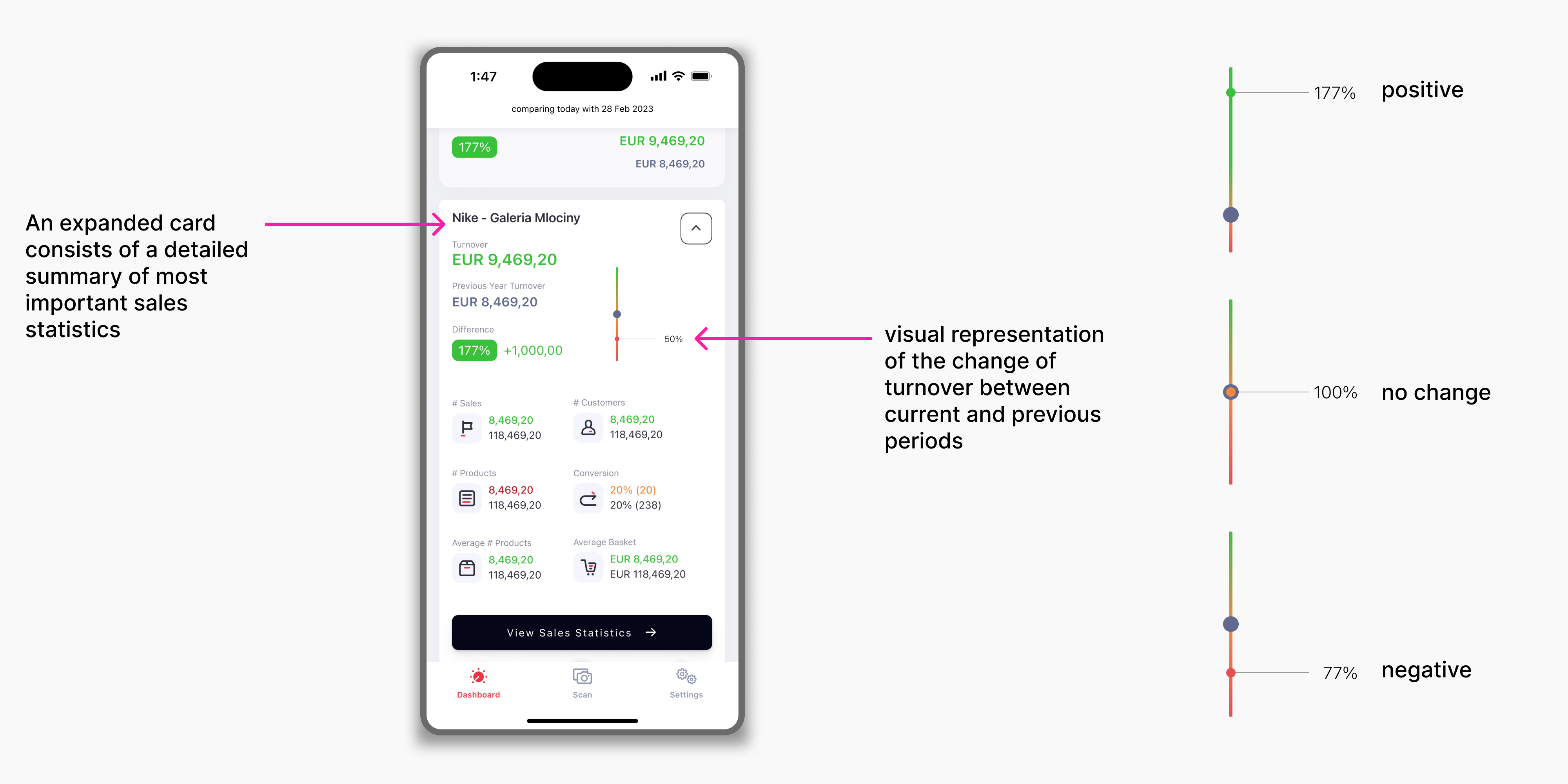
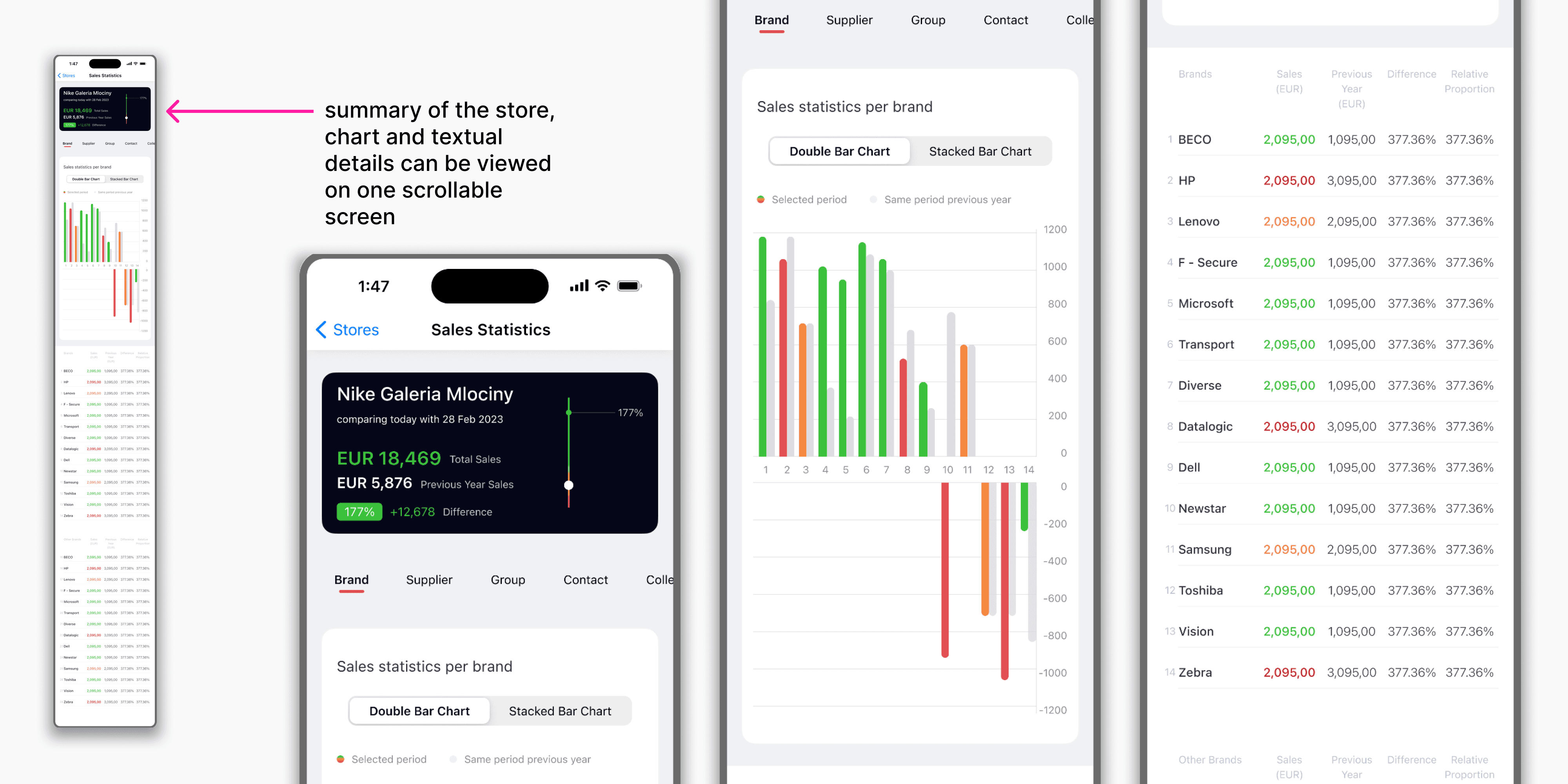
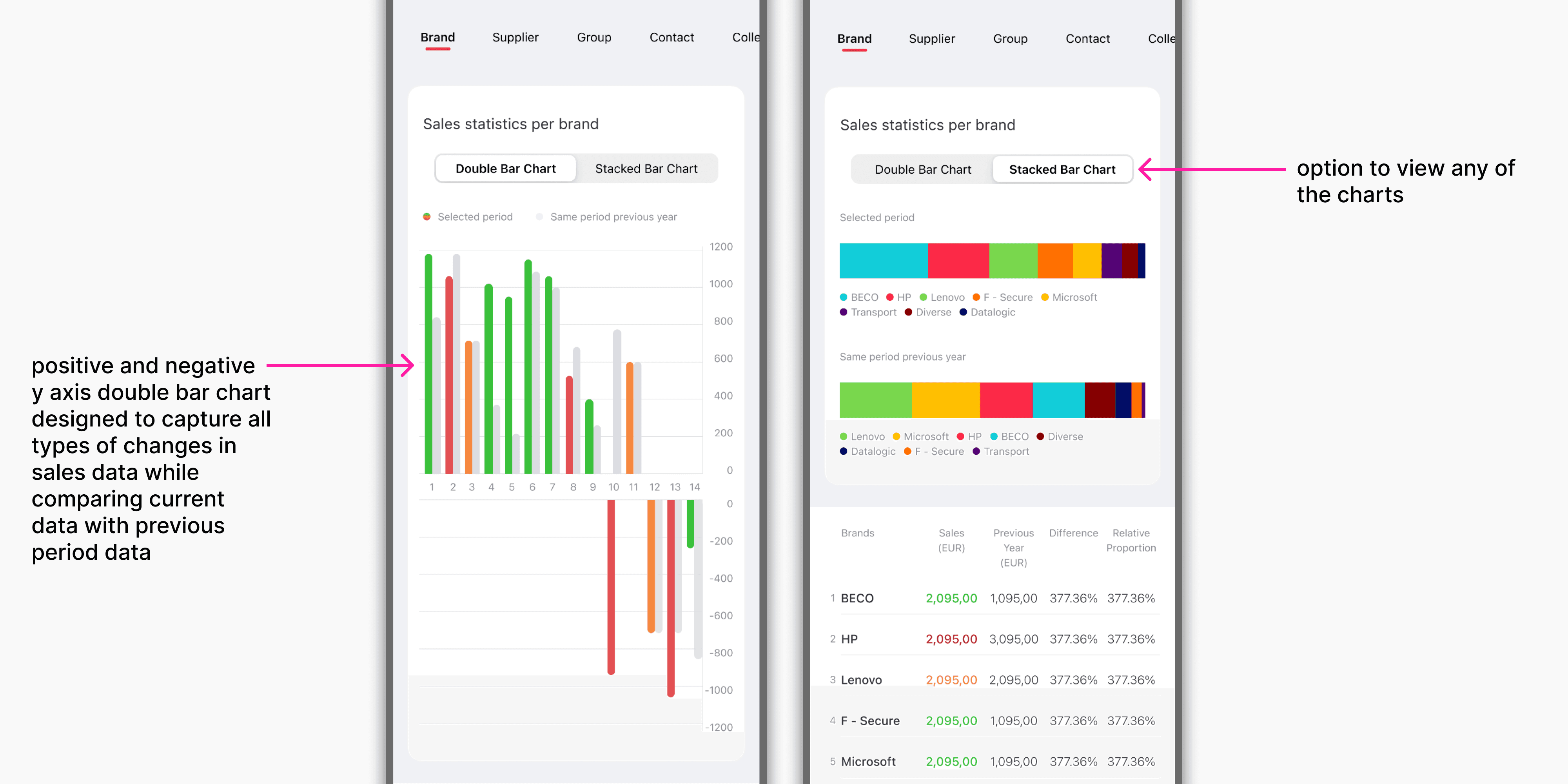
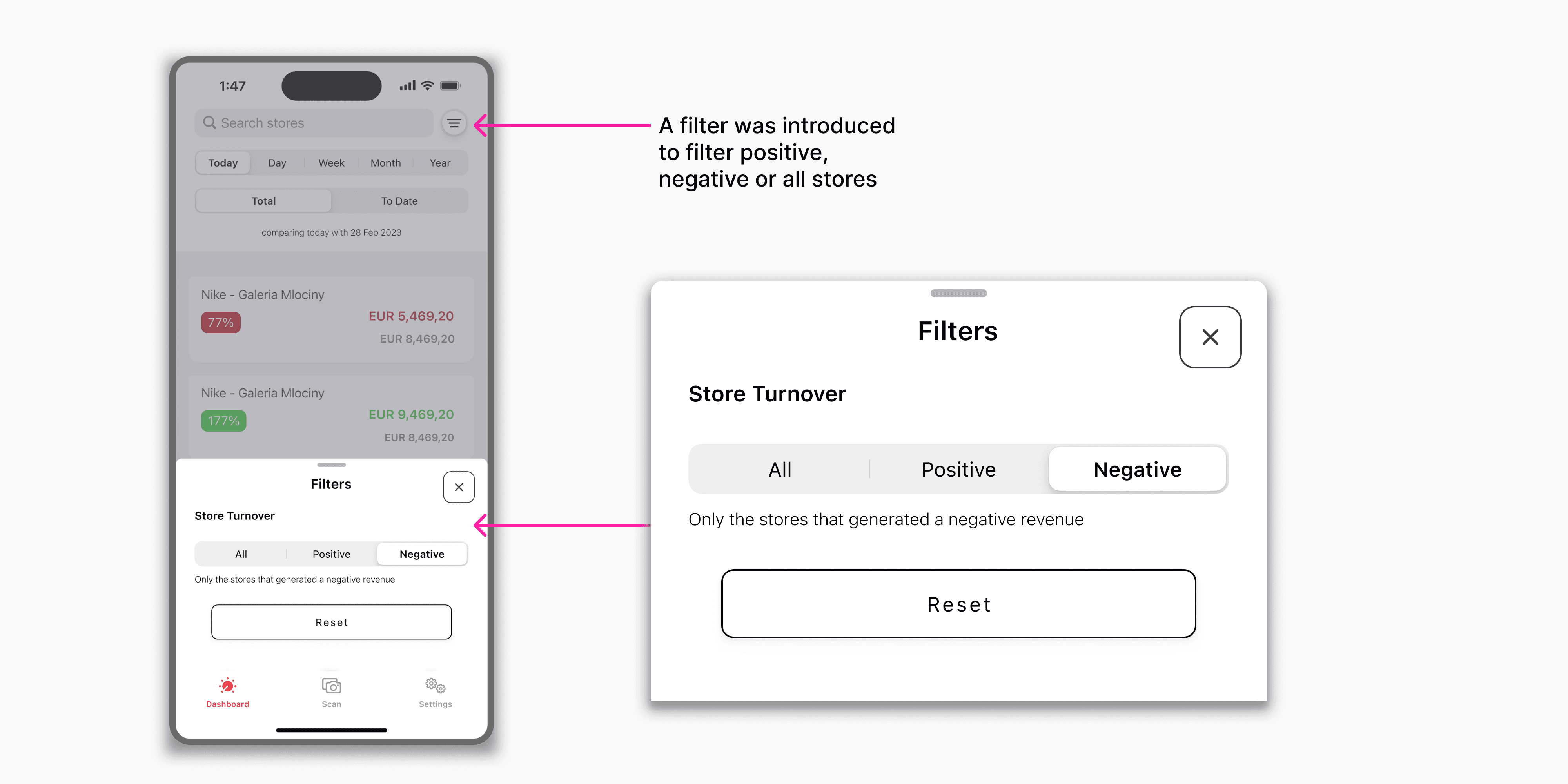
The user interfaces were crafted in accordance with Apple’s Human Interface Guidelines and Design Resources to align with best practices for iOS design.
Project Retrospective
This project provided valuable experience in designing within real-world project constraints. Due to the project structure and timeline, direct access to end users and formal usability testing were limited during the design process.
➡️ The primary target users for the application were sales managers. While I did not have the opportunity to directly engage with them, the client company’s internal stakeholders shared insights into user needs, workflows, and business requirements, which guided the design decisions.
➡️ Formal user testing was not conducted as part of this project. Given the opportunity for future iterations, usability testing and direct user feedback would help further validate and refine the overall experience.
RELATED PROJECT